Add Service Request Template Asset Mapping
Asset mappings can be added to specific service request templates to populate fields from the GIS when assets are added to a service request or to update the GIS when the service request is closed.
- From the home page, click GIS and click Asset Mapping.
- Click the Service Request Templates tab at the top of the page.
- Select the Service Request Templates you'd like to make an asset mapping for.
Any existing asset mappings appear in the list.
- Click Add record.
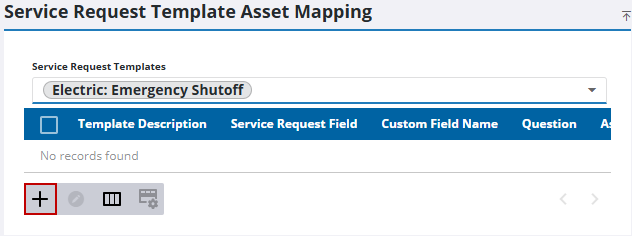
- Enter the details of the mapping on the Add Mapping panel.
An asset mapping can be created on two events: when an asset is added to a service request or when the service request is closed.
 NOTE: The first asset attached to the service request that matches the EntityType is the asset that the attributes are pulled from to update the service request field.
 Populate Fields from GIS Using Add Entity Event
- Select Add Entity from the Event Type drop-down list.
- Select Select Field to choose the GIS data you'd like to pull into a Service Request Field.
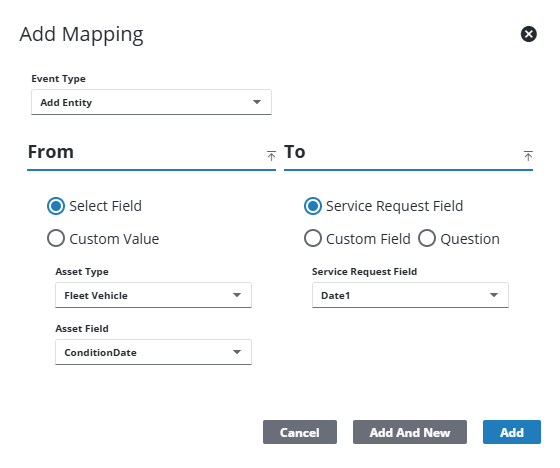
- Select Custom Value to enter a specific value to populate the field.
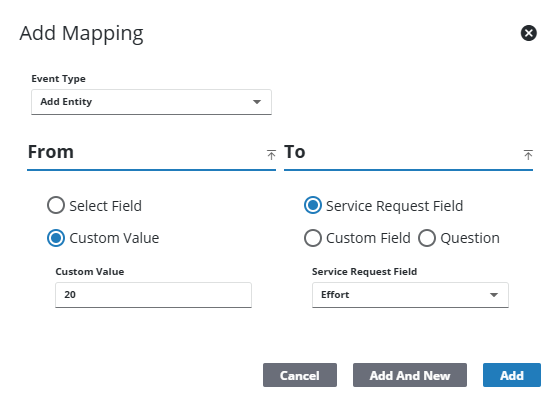
- Select the Service Request Field you'd like populated when assets are added to the service request.
- Select Custom Field if you'd like to use service request custom fields defined for the template.
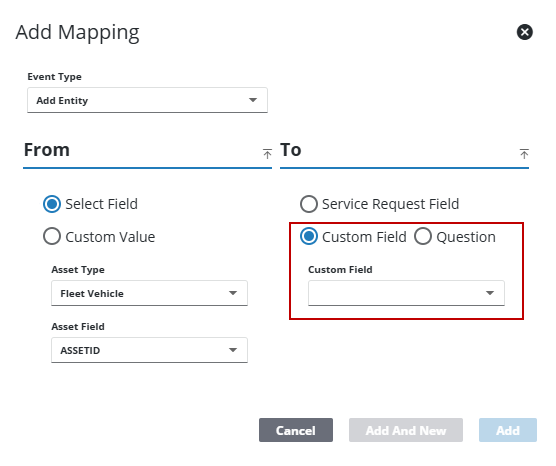
- Click Question to populate a question on the service request from the GIS.
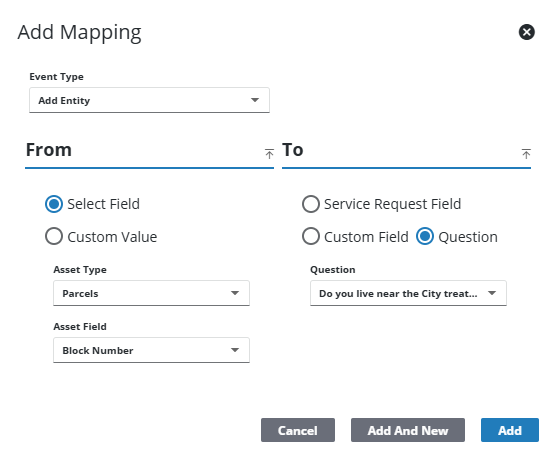
- Click Add to add the mapping or Add and New to add the mapping and to add a new one.
NOTE: If a user attempts to add an invalid mapping this error message displays: Incompatible Field Types.
Update GIS Using Close Event
- Select Close from the Event Type drop-down list.
- Select Select Field to choose a service request field to update the GIS.
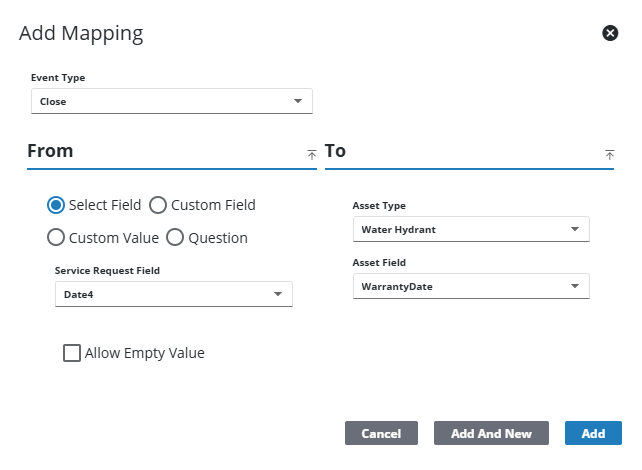
- Select Custom Field if you'd like to use service request custom fields defined for the template.
- Select Custom Value to enter a specific value that is written to the GIS.

- Select Question to populate the GIS with the answer to a question on the service request.
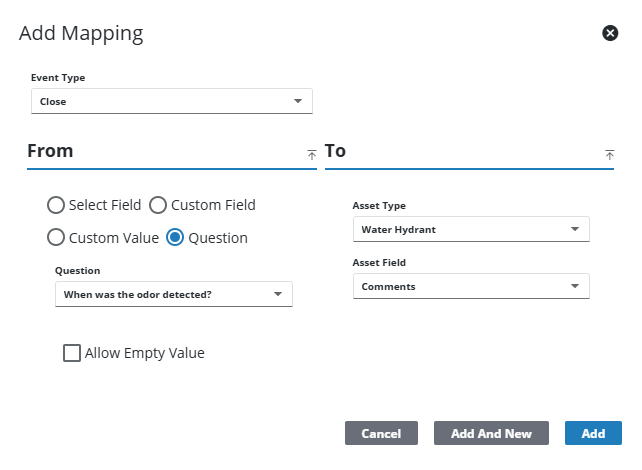
- Select Allow Empty Value to allow empty values to be written to the GIS.
- Click Add to add the mapping or Add and New to add the mapping and to add a new one.
NOTE: If a user attempts to add an invalid mapping this error message displays: Incompatible Field Types.

