Remove a Contractor
A contractor record may need to be removed from the system from time to time. Doing so must be done carefully or could cause errors.
|
|
 PREREQUISITES:
 IMPORTANT: While it is possible to delete a contractor record, we strongly discourage you from doing so. Deleting a contractor record will cause errors for any users associated to that record.
- From the home page, click Permitting and click Contractor Setup.
 TIP: You can filter the list of records displayed. See Filter Records for more information.
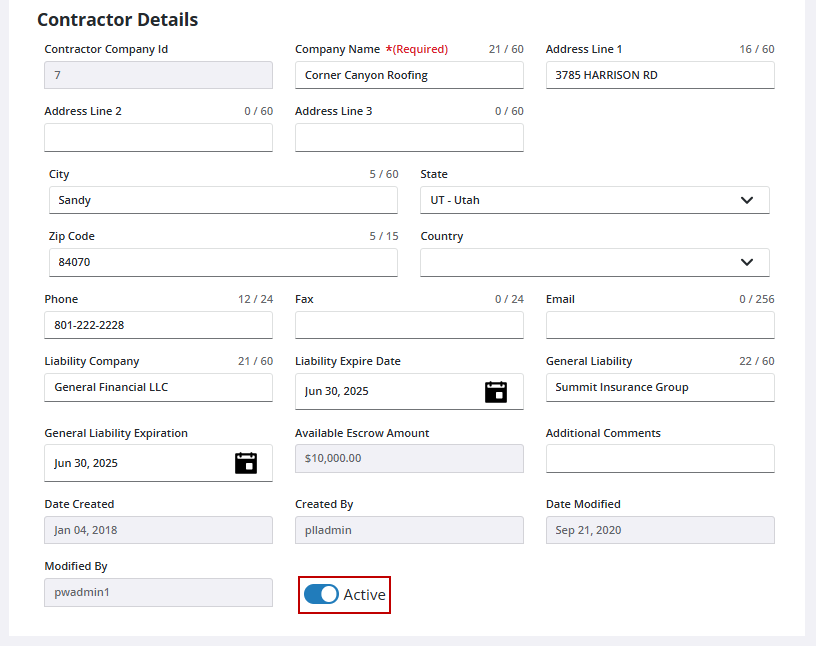
- On the Contractor panel, select the contractor record you want to deactivate, then click on the Active switch to deactivate the contractor.
If a contractor record has not been associated with one or more cases, you can delete it by following these steps:
- On the Contractor panel, select the contractor record you want to delete, then click Delete record.
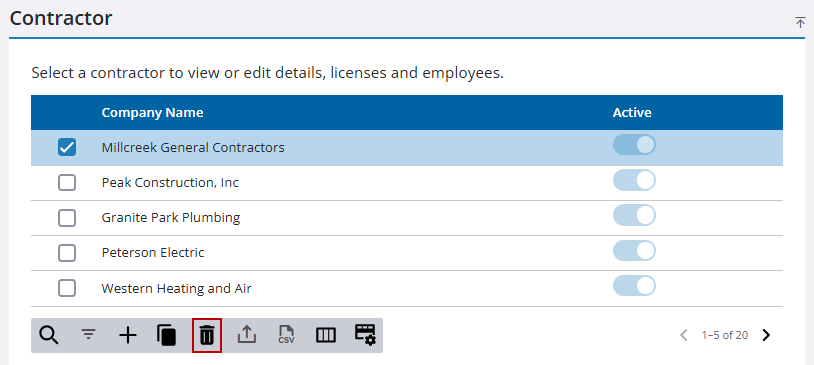
- Click Delete on the confirmation panel.

