Remove a Contractor Type
A contractor type may need to be removed.
|
|
 PREREQUISITES:
 IMPORTANT: While it is possible to delete a contractor type, we strongly discourage you from doing so. Deleting a contractor record will cause errors for any users associated to that record.
If the contractor type has already been associated with one or more cases, you can safely deactivate the contractor type by following these steps:
- From the home page, click Permitting and click Contractor Setup.
- Click the Contractor Types tab.
 TIP: You can filter the list of records displayed. See Filter Records for more information.
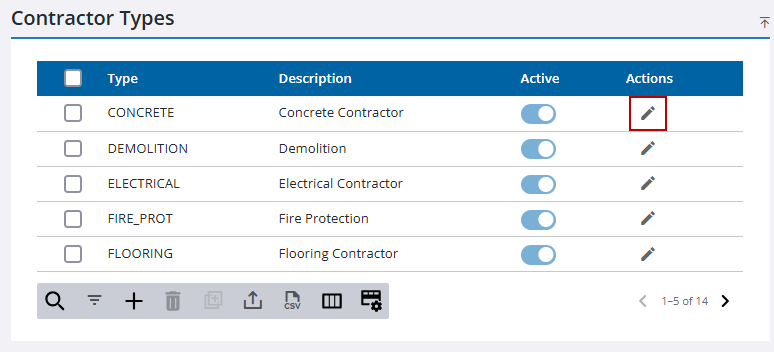
- On the Contractor Types panel, click Edit in the row that contains the contractor type you want to deactivate.
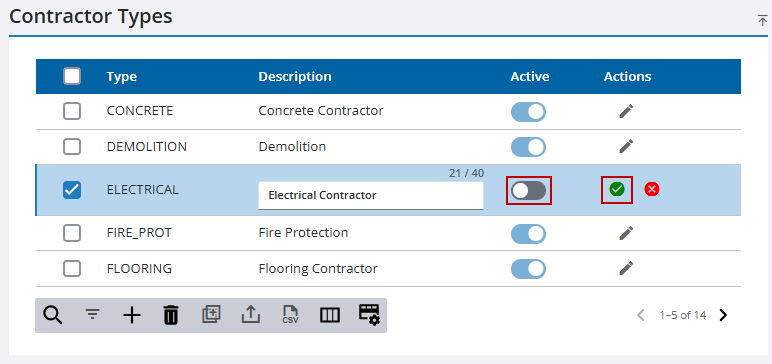
- Turn off the Active switch to deactivate the contractor type, and click Save.
If a contractor record has not been associated with one or more cases, you can delete it by following these steps:
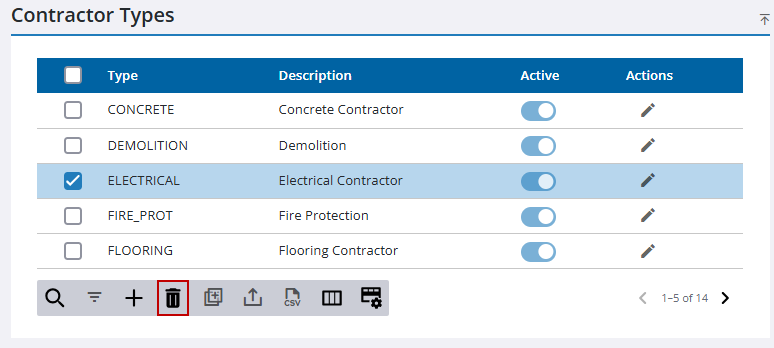
- On the Contractor Types panel, select the contractor type you want to delete, and click Delete selected records.
- Click Delete on the confirmation panel.

