Remove an Employee Skill
- From the home page, click Admin and click Employee Skills.
- Select the Skills tab from the Employees/Skills panel.
 TIP: You can filter the list of records displayed. See Filter Records for more information.
- Select the skill and click Delete selected records.
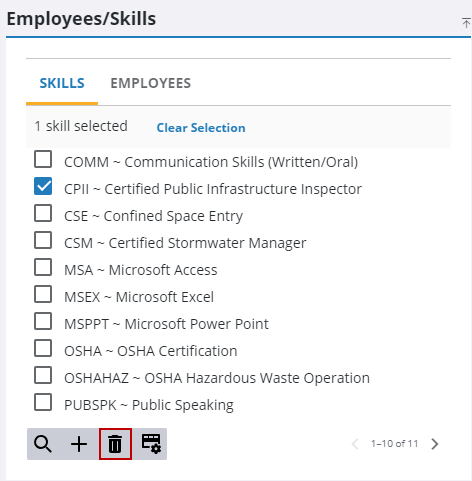
- Click Delete on the confirmation panel.

