Associate an Equipment Change Out Field with Custom Codes
Custom codes can be associated with a custom equipment change out field that is a text field. Once associated, in Respond, custom code types can be selected from the field when performing an operation in equipment change out.
|
|
 PREREQUISITES:
- From the home page, click Admin and click Equipment Change Out.
- Click the Asset Types tab.
- Select Features or Objects, expand the asset group and then select the asset type. You can filter the list by clicking Filter records and typing the first few letters of the feature or object.
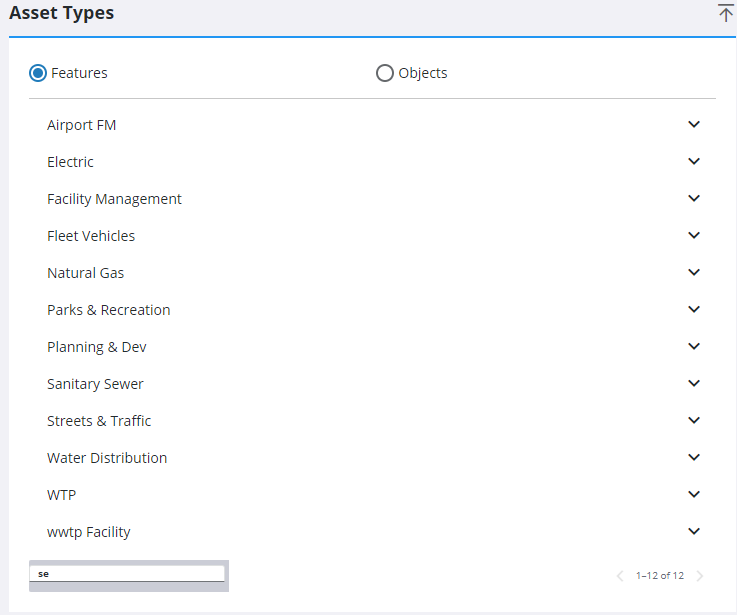
Any existing field configurations display under Asset Type Change Out Fields.
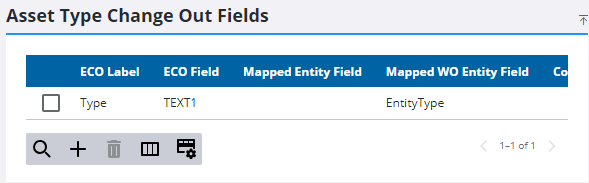
- Select the text change out field you want to associate to a custom code.
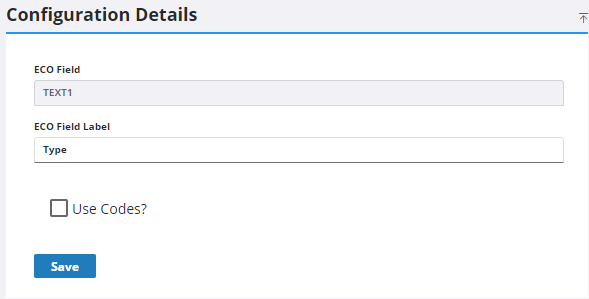
- Select the Use Codes? check box.
- Select the custom code type from the Code Type drop-down list.
The list codes that can be selected from this field in Equipment Change Out in Respond will display on the right side of that panel.
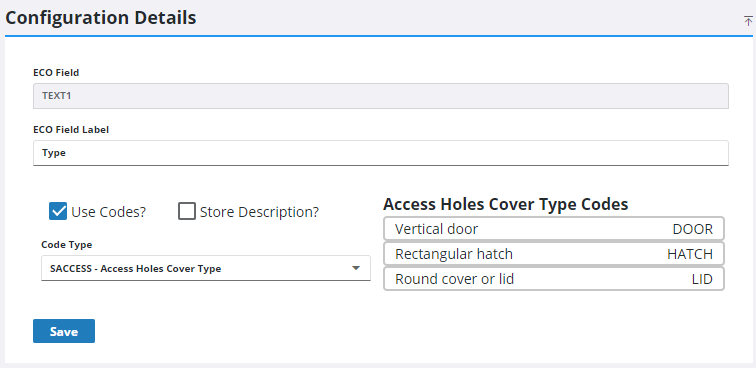
- Select Store Description? to record the description in an equipment change out operation instead of the code.
- Click Save.

