Condition Score Calculations
The condition score is generated from custom linear inspections and relates to the actual condition of an asset based on a field inspection. The condition score is calculated using the data gathered during the inspection and the weights and scores assigned by the administrator. Once the inspection is completed and the Insp. Date is populated, a condition score will be assigned to the asset. A higher number indicates a better condition and a lower number indicates a worse condition.
You can use this information to determine where to allocate maintenance money most effectively and visually see any trouble spots on the map.
When a custom inspection is configured in Admin, the administrator assigns a weight to each observation. The higher the number, the more important the observation. While any number can be used when assigning weights, the final condition score is a normalized value between 0-100. You can decide which inspection templates you want to calculate a condition score for (using the Calc. Condition Score setting on the General tab), and which observations you may want to exclude from the condition score calculation (using the Calc. Condition Score setting in Observation Details). See Inspections for more information.
 NOTE: A weight can only be assigned if the Answer Type is Single Answer.
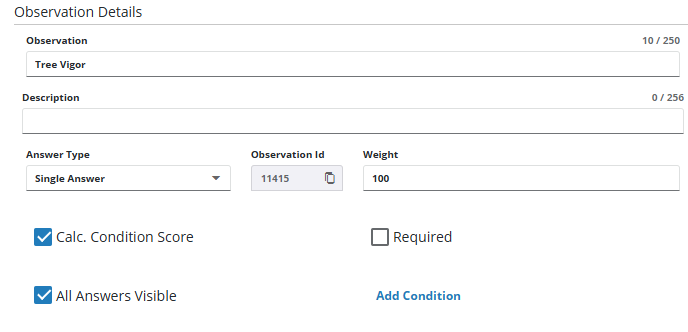
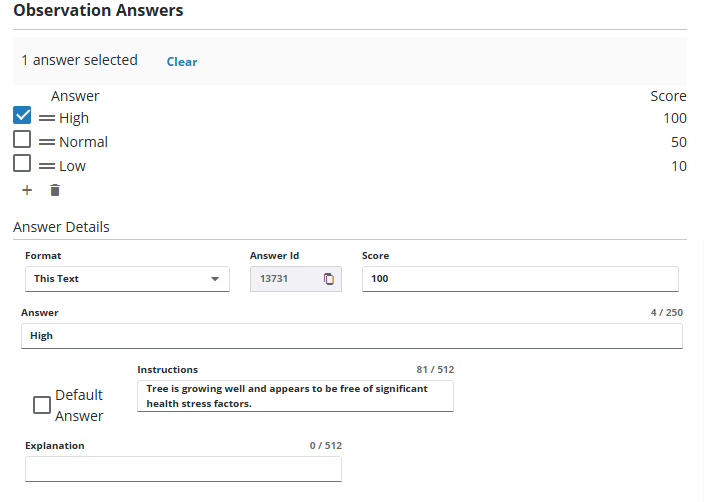
Next, the administrator adds answers for each observation and assigns a Score. This number is used to calculate a condition score for the asset. A higher number indicates a better condition and a lower number indicates a worse condition. For example, 100 would be a perfect condition, 50 would be an okay condition, and 10 would be the worst condition. Alternatively, the scale could be 10 (best), 5 (okay), 1 (worst).
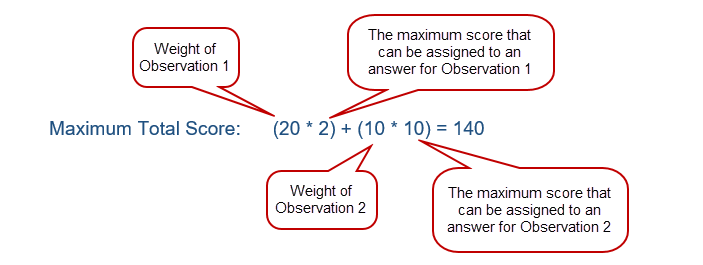
Once an inspection is complete, a maximum total score is calculated by multiplying the weight by the maximum score of each question.
(weight * maximum score of observation 1) + (weight * maximum score of observation 2)
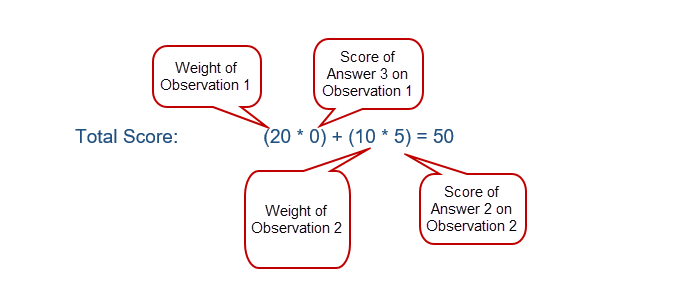
A total score is calculated by multiplying the weight by the score of each question selected during the inspection.
(weight * selected answer's score of observation 1) + (weight * selected answer's score of observation 2)
The condition score is calculated by dividing the total score by the maximum total score, multiplied by 100.
(Total Score / Maximum Total Score) * 100
Here is an example of calculating a condition score in action.
An inspector selects Answer 3 on Observation 1.
| Observation 1 | |
|---|---|
| Weight | 20 |
| Answer 1 | 2 |
| Answer 2 | 1 |
| Answer 3 (selected) | 0 |
An inspector selects Answer 2 for Observation 2.
| Observation 2 | |
|---|---|
| Weight | 10 |
| Answer 1 | 10 |
| Answer 2 (selected) | 5 |
| Answer 3 | 0 |
The following calculations take place to determine the Condition Score:
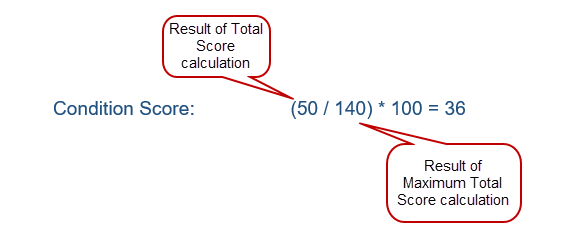
To view all assets and their condition scores, create a GIS saved search and add it to the map as an event layer. Once it's added as an event layer, use the Heat Maps tool to visually view the condition of the assets.

