Add Entity Types
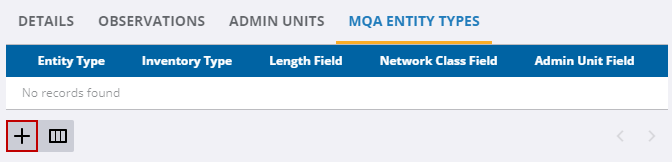
The MQA Entity Types tab is for managing the entities associated with the template. Users can add, view, update, and delete entities.
- Select the survey template from the MQA Survey Templates panel.
- Click the MQA Entity Types tab.
- Click Add record.
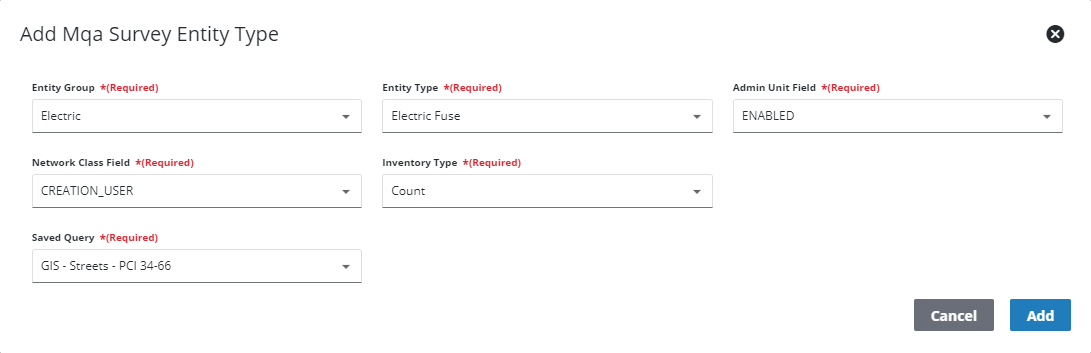
- Select the information for the entity type from the drop-down list.
- Click Add.
- To edit a record, select the record. The fields that cannot be edited are grayed out.
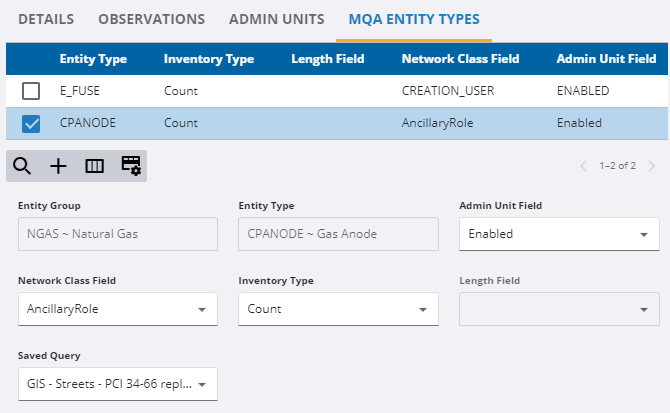
Changes are automatically saved.
- To remove a record, select the record and click Delete selected records.

