Add a Metadata Configuration
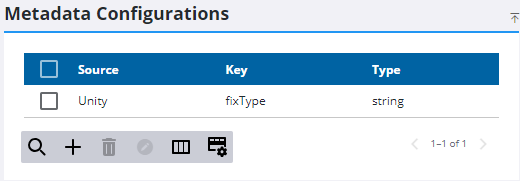
- From the home page, click Admin and click Metadata Configuration.
Any existing configurations appear in the list.
- Click Add record on the Metadata Configurations panel.
- Enter the Source.
The Key and Data Type fields should reflect the data structure of the information that is stored in the Inspection Metadata field. Trimble Unity uses the Key to extract the JSON value from the Metadata field and the Data Type to convert the value to the GIS data type, for example, a String.
- Enter the Key, or the property that is extracted from the JSON object. For example, enter ObjectID.
- Select a Data Type from the drop-down list. For example, select String to match ObjectID.
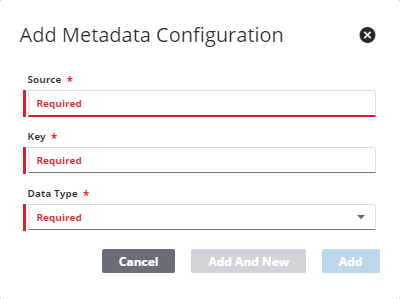
- Click Add to add the configuration or Add and New to add the configuration and to add a new one.
Once the configuration is set up, it can be associated with an asset mapping for an inspection on a close event. See Add an Inspection Template Asset Mapping for more information.

