Add a Department
|
|
 PREREQUISITES:
 NOTE: Multiple records can be added or edited at the same time. See Perform a Bulk Export or Bulk Import for more information.
- From the home page, click Permitting then Organization Structure.
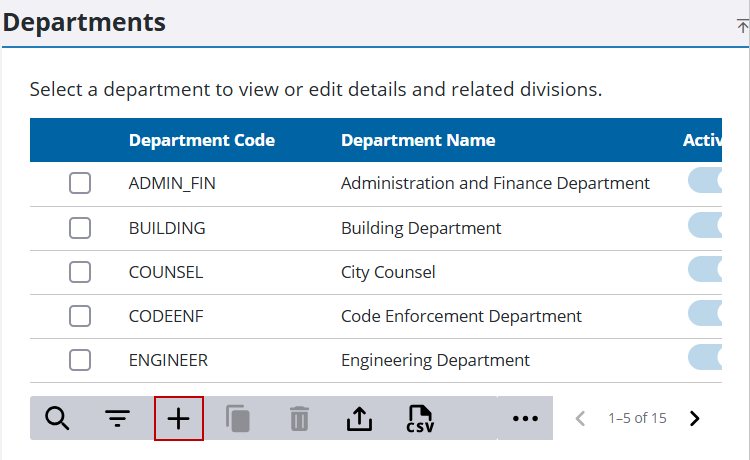
- In the Department panel, click Add record.
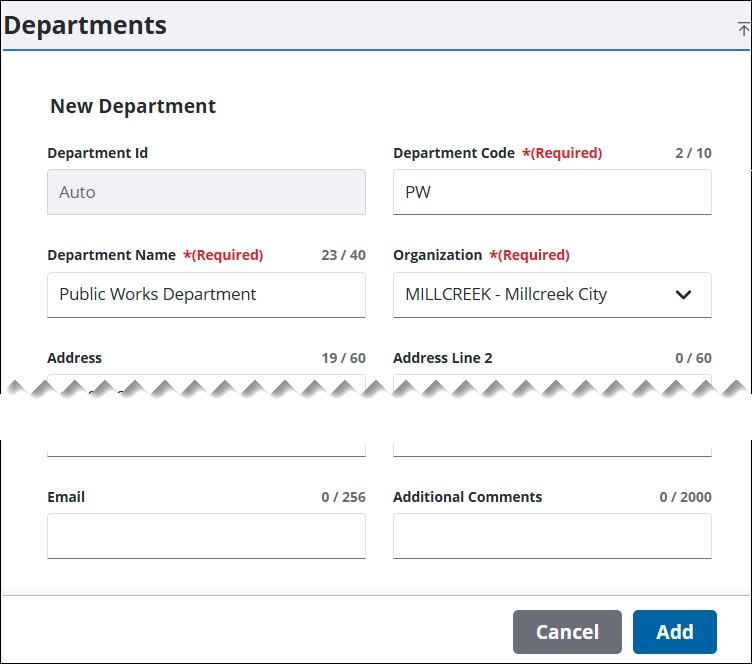
- In the New Department section, enter a name of up to 10 characters in the Department Code field.
- Enter the name of the department (up to 40 characters) in the Department Name field.
- Select the organization you'd like to add a department to from the Organization drop-down list.
- Complete the remaining fields with any available contact information and comments; while optional, these details help identify key contacts and streamline communication.
- Click Add.