Add or Edit Permit Types
Permit information can be included on work orders to track permit costs and include them in the work order costs when permit costs are paid by your organization. Permit types are defined here.
- From the home page, click Configure and click Permit Types.
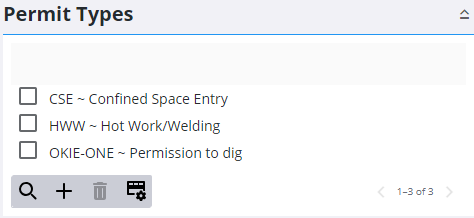
- Click Add record to add a new permit type.
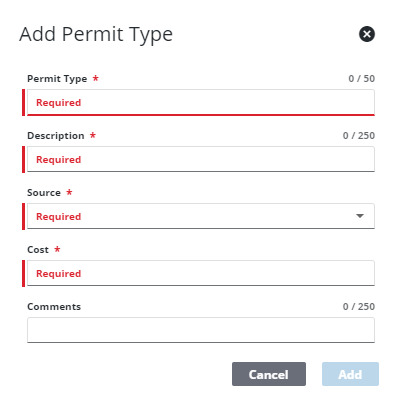
- Enter the Permit Type and a Description.
- Select the Source for the permit.
 NOTE: These are defined in Preferences under Custom Codes > APSOURCE. See Configure Custom Codes Preferences for more information.
- Enter the Cost of the permit and click Add.
The new permit displays in the Permit Types panel.
 TIP: You can filter the list of records displayed. See Filter Records for more information.
- Select it and finish editing the details of the permit in the Details panel.
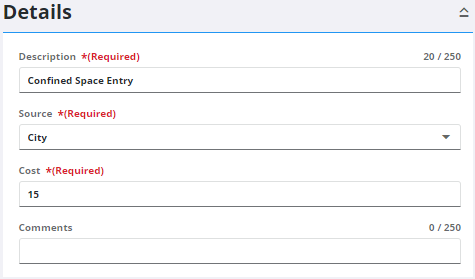
- To edit a Permit Type, select it from the Permit Types panel and make the desired changes. Multiple permit types can be selected to edit a select number of fields in bulk.
NOTE: Your changes are automatically saved, and the changes are verified by a notification at the bottom of the page.

