Add Resolution Values for a Work Order
Add Resolution Values that can be assigned to a work order.
- From the home page, click Admin and click Preferences.
- Click the Maintain tab.
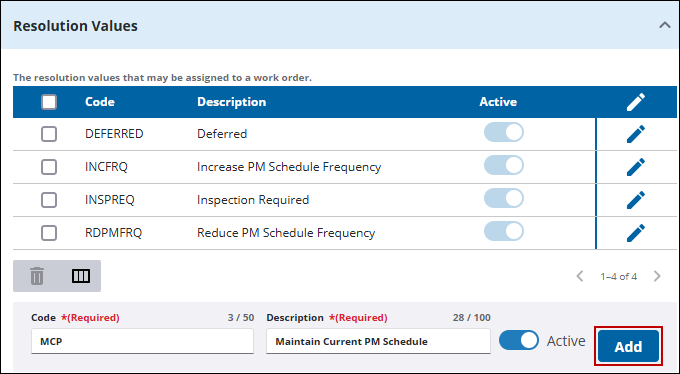
- Expand the Resolution Values section on the Work Order panel.
Existing Resolution Values appear in the list.
- At the bottom of the Resolution Values section, enter the Code and Description.
- Click Add.
 TIP: You can filter the list of records displayed. See Filter Records for more information.
- To remove a resolution, select it and click Delete selected records.

