Configure Description Scores
Description Scores is used to assign scores for descriptions on standard inspections.
- From the home page, click Configure and click Standard Inspection Configuration.
- Click the Units and Scores tab.
- Click Add Score Type next to Description Score Types drop-down list to add a new description score type.
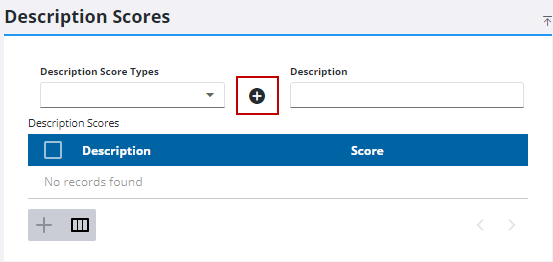
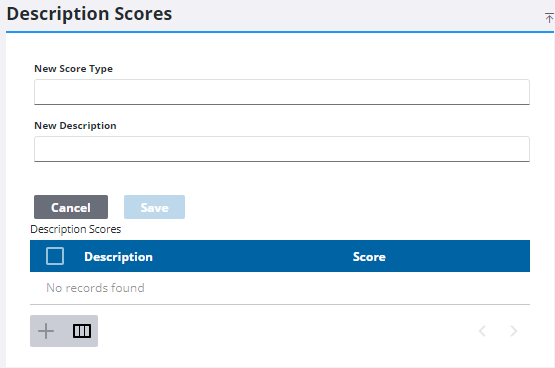
- Enter the New Score Type and the New Description.
- Click Save.
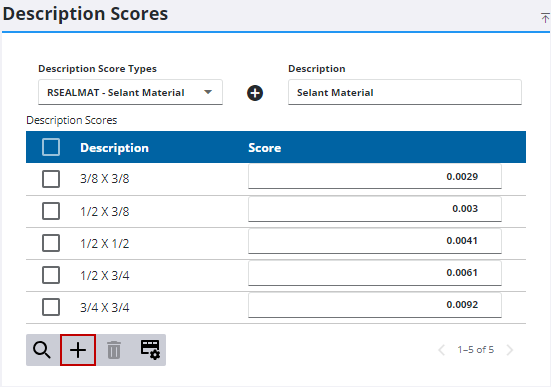
- To add a new description score, select the Description Score Type you'd like to add it to.
- Click Add record.
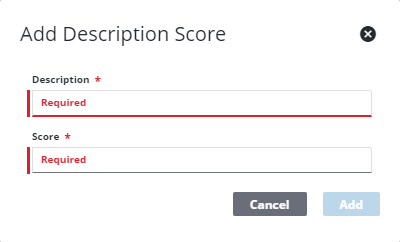
- Enter the Description and Score.
- Click Add.
 TIP: You can filter the list of records displayed. See Filter Records for more information.
- To remove a description score, select it and click Delete selected records.
 NOTE: Admin automatically saves the changes you make. A notification pops up at the bottom to verify it has been saved.

