Associate Work Order Templates to a Service Request Template
Work order templates can be associated to service request templates so that users can easily create a work order from a service request.
 TIP: You can filter the list of records displayed. See Filter Records for more information.
- Select a service request template from the Work Activity Templates panel.
- Click the Template Activities tab on the Template Details panel.
Work order templates that are already associated to the service request template are shown in the Associated Work Order Templates section.
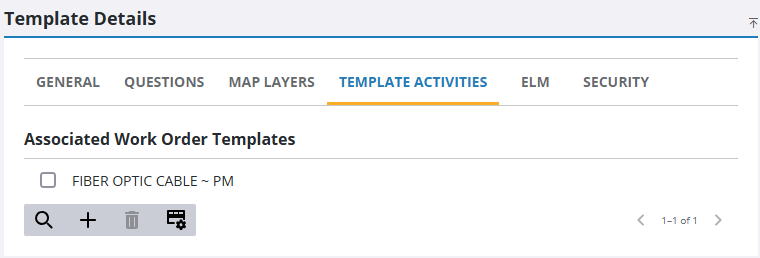
- Click Add record.
- Select the asset Group and Type.
- Select a wok order from the list on the Add Work Order Templates panel. You can begin filtering the list by clicking Filter records and typing the first few letters of the work order template.
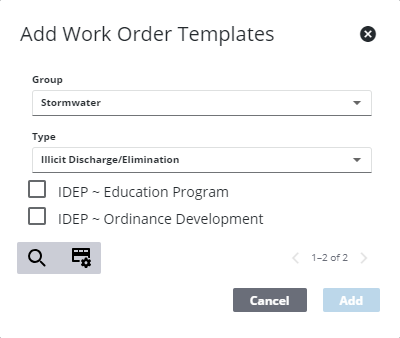
- Click Add.
 NOTE: Your changes are automatically saved, and the changes are verified by a notification at the bottom of the page.

