View Project Details
You can view the project details of projects that you belong to in Trimble Unity Field.
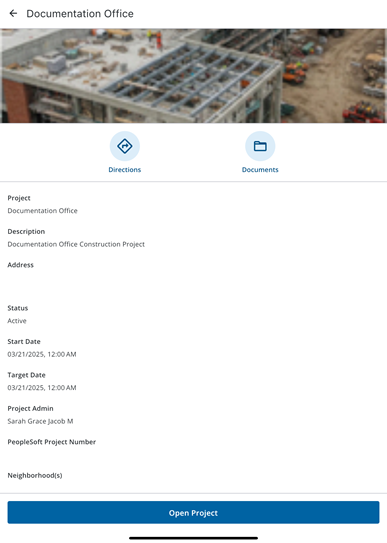
Project details include the project name, description, address location, status, dates, responsible parties, and any other configured custom fields. Any project images that are set up in Trimble Unity Construct are shown on the project details as well as on the project card in the projects list. You can also view the project location on a map and get driving directions to the project site in your device's default map application.
You can access these details from the Switch Project page.
If you are already within a project, you can access the Project Details page from the Quick Actions panel through the Home page.
 View Project Details from the Switch Project Page
- On the Home page, tap the Switch Project button.
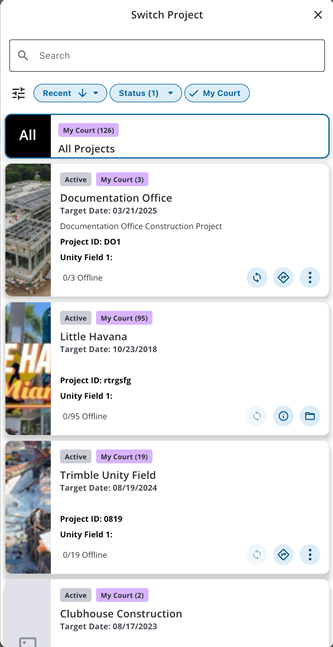
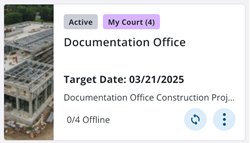
- On the Switch Project page, tap the More Actions icon on a project card.
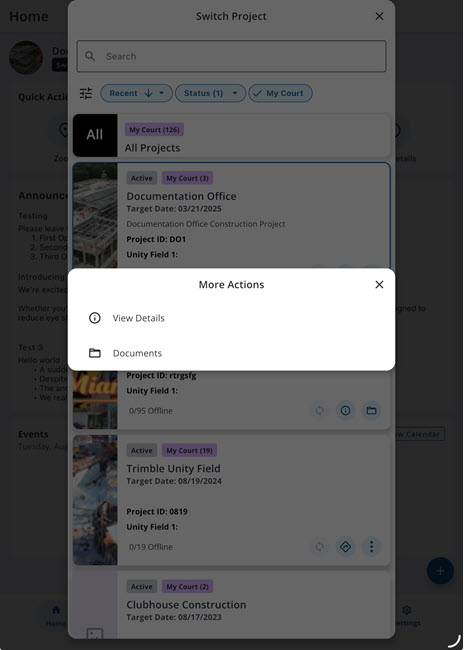
- Tap View Details.
The project details page for the selected project appears.
View Project Details from the Quick Actions section of the Home Page
- On the Home page, tap the Switch Project button.
- On the Switch Project page, select a project from the list. The Home page is updated with the selected project.
- From the Quick Actions section, tap View Details.
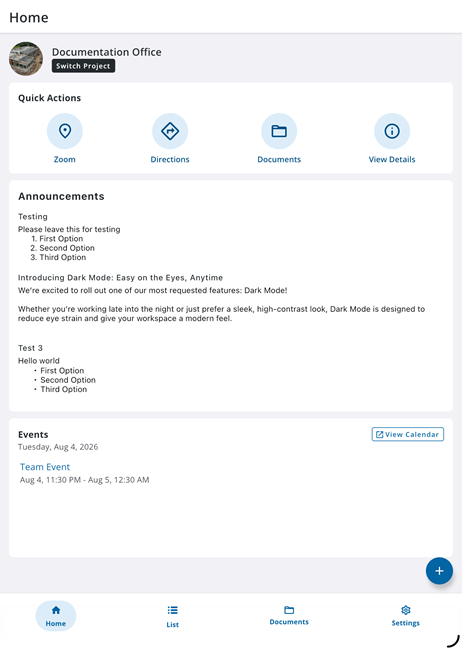
The project details page for the selected project appears.
Project Details
- Based on the project setup in Trimble Unity Construct, the following details are shown on the project details page:
- Project image: A photo for the project.
- Project: Name of the project.
- Description: A description of the project that can be used to give project members additional information.
- Address: The address location for the project site.
- Status: The current status of the project. Active projects are shown by default in the list.
- Start Date: The date that the project will begin.
- Target Date: The date that the project is scheduled to end.
- Project Admin: The administrator for the project.
- Custom fields: Any available project custom fields.