Locate Assets Using Locate
You can locate an asset using Locate. The Locate feature allows users to capture high accuracy positioning data.
 NOTE: This action is available only for location-enabled work activities.
- Open a work activity.
- Tap Locate.
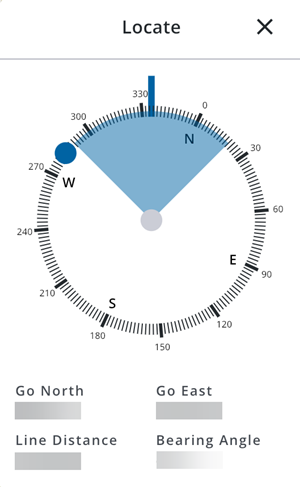
The map opens with the advanced locate view. A compass is shown with the distance and bearing to the selected asset, allowing users to navigate to the asset.