Configure Proactive Templates
Proactive work is preventative, regularly-scheduled maintenance. This can include activities like inspecting or flushing pipes, painting lane lines, etc.
- Open the Maintenance Strategy page.
 NOTE: The first time you open
- Select the desired Asset Group and Asset Type. Once these fields are selected, the group and type are remembered across all pages of Operational Insights.
- Select the desired maintenance strategy and click the Proactive Templates tab.
- Click Add.
 TIP: You can filter the list of records displayed. See Filter Records for more information.
- Select the desired templates that are used for proactive work and click Add.
- Select the proactive template to edit it.
- Enter a Weight for this type of proactive work. This can be any positive number. Values of zero are ignored.
- Define the interval for how often this type of proactive work is performed by entering a number for the Interval and selecting the desired Unit (Day, Week, Month, Year).
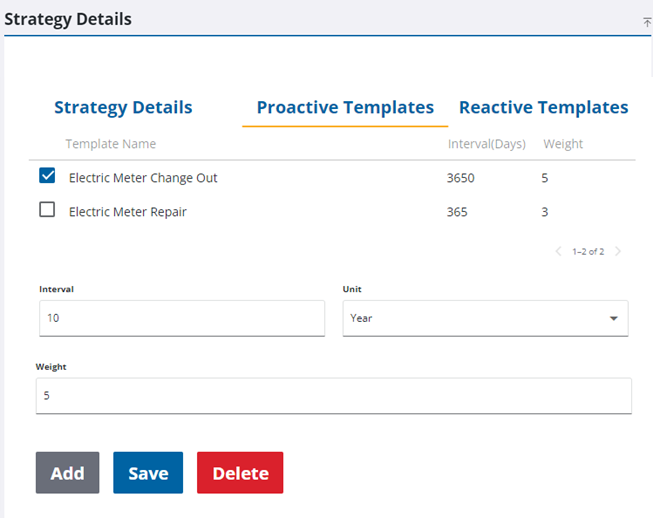
- Click Save.
- Repeat the previous steps for each proactive template that you want to add to the maintenance strategy.
NOTE: Multiple templates can be selected at a time for configuration in the Strategy Details panel.