Filter Tasks
You can filter tasks by the type of task, if it's available or completed, or tasks assigned to the current user. Tasks can be filtered from the Workflow panel on the case summary page or from the Workflow page.
|
 PREREQUISITES: PREREQUISITES:
- Users must have the View permission selected under Case Admin > Business Case in Admin to see tasks. See Security Roles in the Admin Guide for Trimble Unity Maintain and Trimble Unity Permit for more information.
|
 NOTE: Click Workflow from the activity toolbar to open the Workflow page.
 Filter by Task Type
- Open a case and navigate to the Workflow panel.
- Click Filter Task.
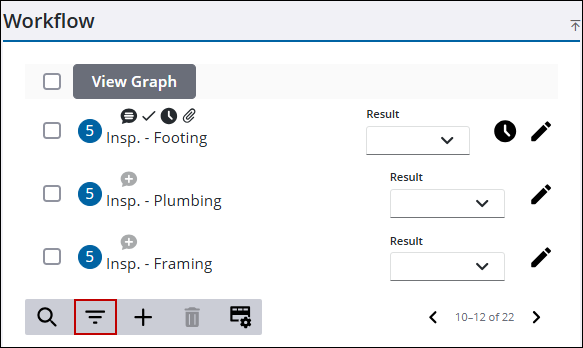
The task types are selected by default.
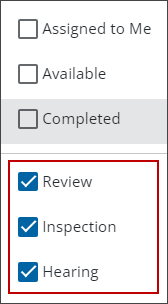
- Click to clear the check box to filter by a specific task type.
Results matching your search criteria display.
Filter by Assignment
- Open a case and navigate to the Workflow panel.
- Click Filter Task.
- Select the Assigned to Me check box. This filters all tasks assigned to you.
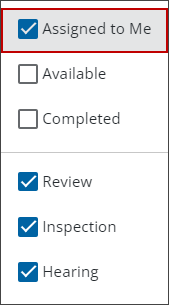
Results matching your search criteria display.
Filter by Availability
- Open a case and navigate to the Workflow panel.
- Click Filter Task.
- Select the Available check box. This filters all tasks that are available.
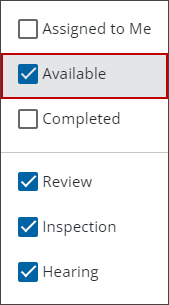
Results matching your search criteria display.
Filter by Completed
- Open a case and navigate to the Workflow panel.
- Click Filter Task.
- Select the Completed check box. This filters all tasks by the complete date.
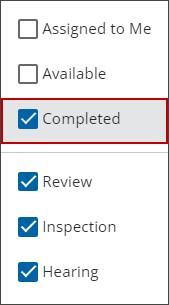
Results matching your search criteria display.

