Add Conversions
You can add coordinates from the map and then add conversions for the coordinates.
- Click Coordinate Conversion in the map toolbar.
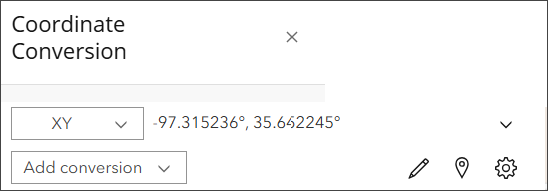
First you need to add coordinates you want to convert. You can add and format coordinates using one of the following methods:
- Input coordinate: Allows you to add specific X, Y coordinates you want to convert.
- Capture mode: Automatically populates the X, Y coordinates for a selected point.
- Format settings: Change how the coordinates are displayed.

- Once you have X, Y coordinates, click the Add conversion drop-down list.
- Select a conversion type you want from the Add conversion drop-down list.
The conversion type and conversion of the X, Y coordinates appears in the list. You can add as many conversion types as needed, copy conversions, remove conversions, and more.

