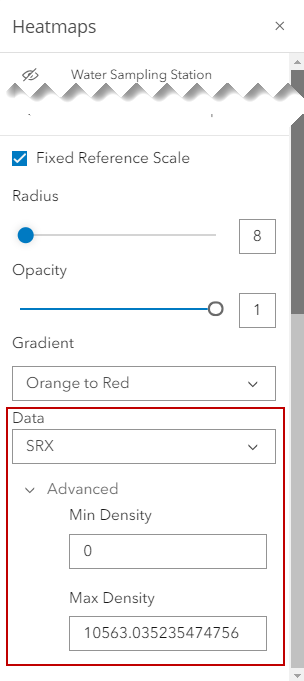
Change Heat Map Data and Density
You can select what data you want the heat map to reference and populate based on.
- Click Heatmaps in the map toolbar.
- Select the heat map layer and scroll to the bottom of the panel.
- Click the Data drop-down list and select a field you want to reference and populate the heat map.
Depending on the field you select, Advanced options may be available.
- Enter a Min Density or Max Density the heat map will display at.