Change Heat Map Radius
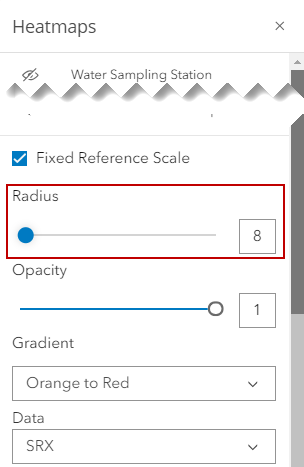
The size of the radius displayed for the heat map can be changed. The radius highlights the number of events.
- Click Heatmaps in the map toolbar.
- Select the heat map layer that you want to change the radius for and scroll to the bottom of the panel.
- Slide the Radius bar to the left to make the radius smaller, or to the right to make it larger. You can also enter a number in the field and the slider will adjust automatically to that number.