Manage Your Trimble ID Profile
You can open your Trimble ID profile from an app to edit it as needed.
 From Within an App
- Click Profile on the main toolbar.
- Select your username to open your Trimble ID profile information.

- Make any changes wanted in the new browser tab that opens. See Manage My Trimble ID Profile in the Trimble Account Services documentation for information on editing basic information, or changing your email or password for your Trimble ID.
 NOTE: If you log in through Single Sign-on (SSO) with Trimble Identity, then some features are not applicable to Trimble ID users, such as password and multifactor authentication requirements. These requirements are enforced by your enterprise Identity Provider.
From the Landing Page
- Navigate to the landing page.
- Click Profile on the main toolbar.
- Click the edit profile icon.
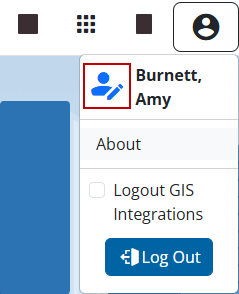
- Make any changes wanted in the new browser tab that opens. See Manage My Trimble ID Profile in the Trimble Account Services documentation for information on editing basic information, or changing your email or password for your Trimble ID.
NOTE: If you log in through Single Sign-on (SSO) with Trimble Identity, then some features are not applicable to Trimble ID users, such as password and multifactor authentication requirements. These requirements are enforced by your enterprise Identity Provider.

