Insert a Subreport
A subreport is a report that references the main report.
|
|
 PREREQUISITES:
- Create a new report and create any parameters needed. See Create a Report and Create a Parameter for more information.
- Once the main report is set up, create a new report to be the subreport.
- In this new report, put in the table you want to display for your data.
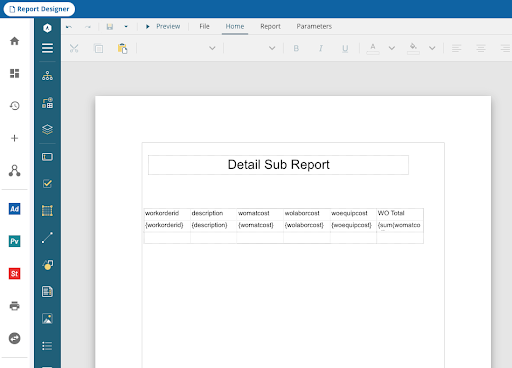
- Parameters for this report need to be added, the same as was set up in the main report.
- Save the sub report.
- Open the main report.
- Click and drag the Subreport icon and drop it where you want it on the main report.
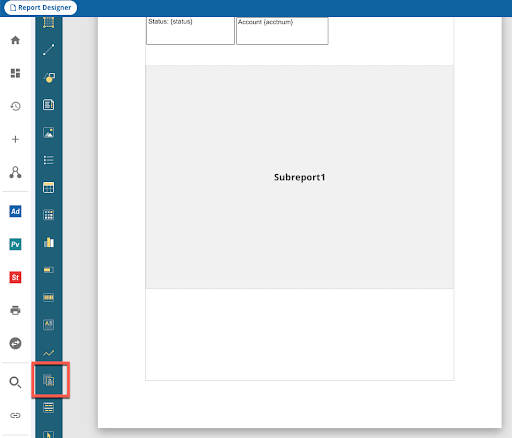
- Click the Subreport box and the subreport properties appear on the right.
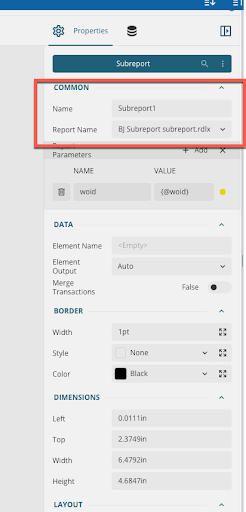
- Name the subreport.
- In the name, click the down arrow and choose the subreport.
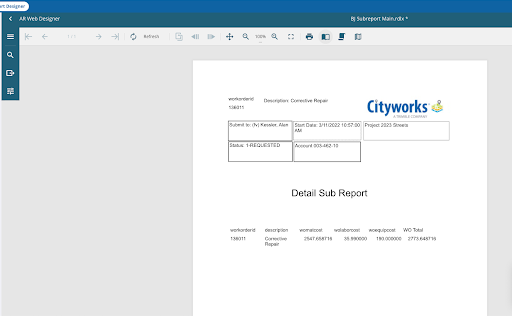
- Now you can customize the report the way you want it.
For more information on grouping data, see Groups in the Mescius online help.

