Add a New Caller
Callers can be added to service requests after they have been created.
- Open the service request.
- Click Callers from the activity toolbar.
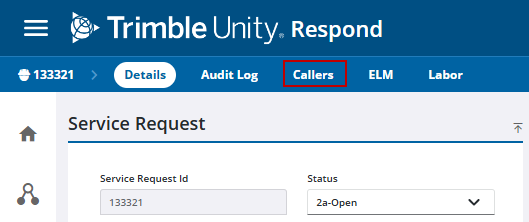
- Click Add record on the Callers panel.

- Enter the new caller's information in the Caller Information panel.
 TIP: You can search for a caller by entering the first few letters of the customer's name in the First Name or Last Name fields. Results appear and filter as you enter more of the customer's name. You can also click Search Callers on the Caller Lookup panel to search for an existing caller.
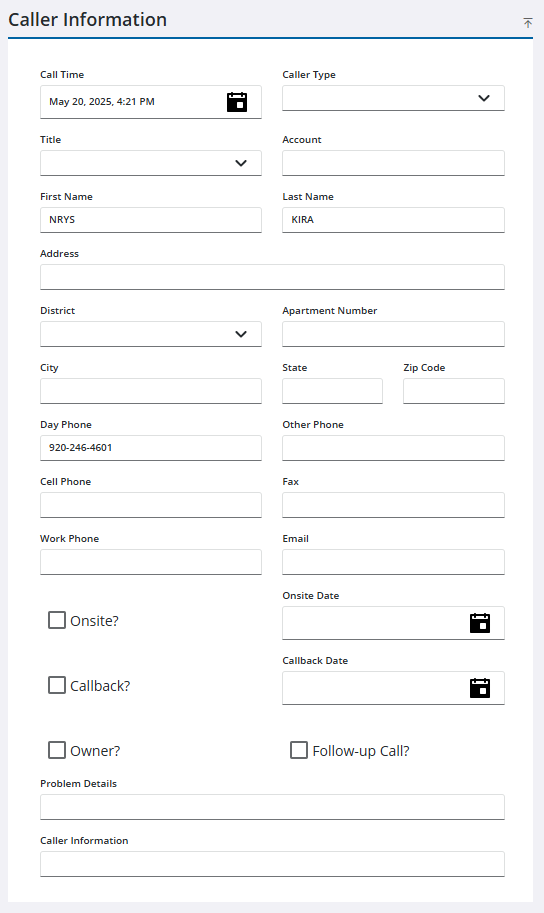
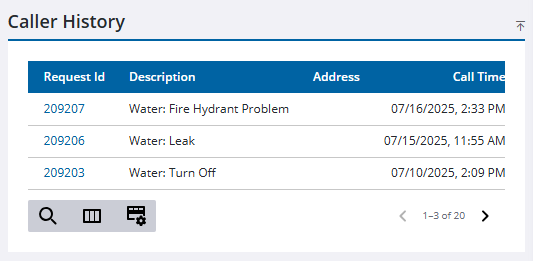
Once a customer is entered in the Service Request Caller Information panel, the call history for the customer shows in the Call History panel.
- Click Save in the upper-right corner.

