Add Security Rights
Security rights can be added for the particular work order being viewed.
 IMPORTANT: Changes only apply to the work order being viewed and override the template security settings configured in Admin.
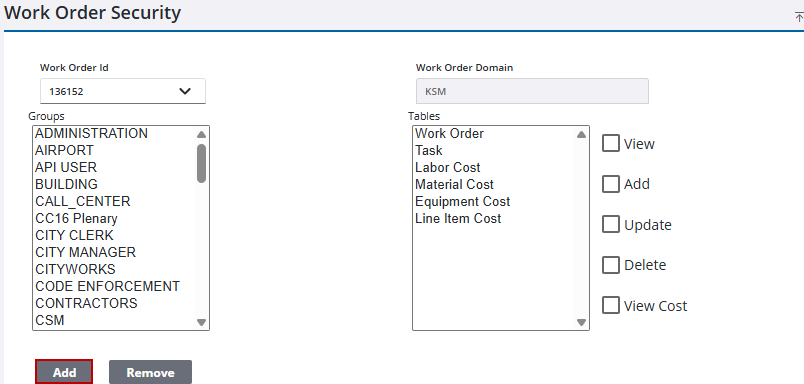
- Open the work order.
- Click Security from the activity toolbar.
- Select the desired Groups and Tables.
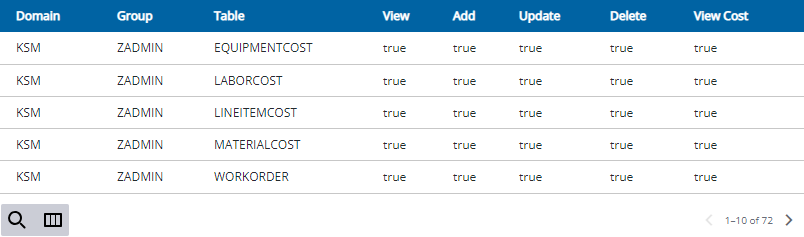
 NOTE: A value of True means the group has that security, while a value False means they do not have that security.
- Select the check box to give View, Add, Update, Delete, or View Cost rights to that group.
- Click Add.
Existing permissions granted for this work activity are shown in the panel at the bottom of the page.