Add Labor to a Material
You can add estimated labor to material.
- Click Configure from the menu.
- Click Material.
 TIP: You can filter the list of records displayed. See Filter Records for more information.
- Click the arrow to the right of the material.

- Click the arrow to the right of Labor.

- In the Labor panel, click Add record.

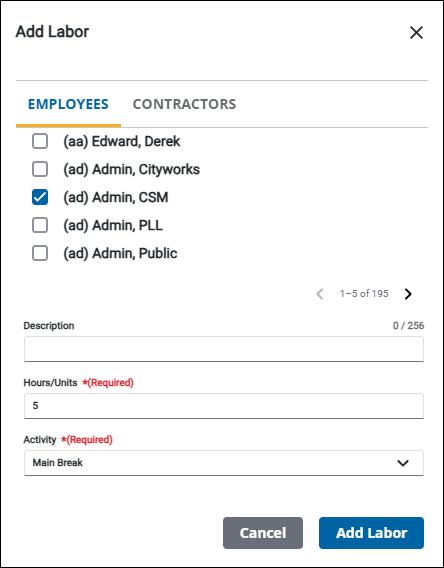
- Select employee(s) on the Employees tab or contractor(s) on the Contractors tab.
- Enter a Description, if desired.
- Enter the Hours/Units needed related to this material.
- Select the Activity. This is populated under Custom Codes > AMATACT.
- Click Add Labor.
 NOTE: Your changes are automatically saved, and the changes are verified by a notification at the bottom of the page.