Add a New Asset to the Map
New assets can be added to the map to show what really exists.
 TIP: Make sure that the layer you're editing is visible in the Legend so you can view the assets on the map. See Make a Layer Visible for more information.
- Click Editor in the map toolbar.
- Click Start.
- Use the Filter types field to filter the list of features.
- Click the feature you want to create.
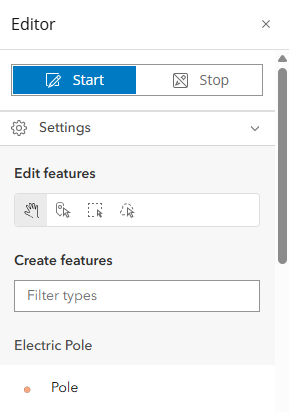
- Click the location on the map where the new asset should be. If adding a line, double-click to complete the line.
- Enter relevant information in the attribute panel that appears. The fields in this panel are unique to the asset.
- Click Create to add the asset to the map.
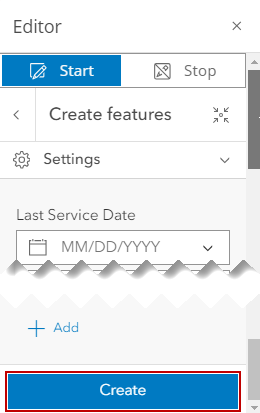
- Continue adding assets, click the back arrow to choose a different feature type, or click Stop to stop the editing process.