Make a Selection by Area
Users can make a selection by area if they want to define an irregular area. The Selection map tool is a floating panel on the map. See Selection Fields for more information on this panel.
- Mark assets as selectable in the Legend map tool. See Make a Layer Selectable for more information.
- Click Select By Polygon.
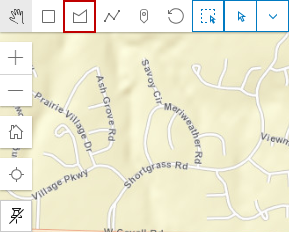
- Click points on the map to form a polygon shape.
- Double-click the last point to close the selection area. Any selectable assets in that area are selected.