Clone an Employee
You can create an employee based on an existing one by cloning the desired employee, then editing the new employee to make it unique.
- From the home page, click Admin and click Employees.
 TIP: You can filter the list of records displayed. See Filter Records for more information.
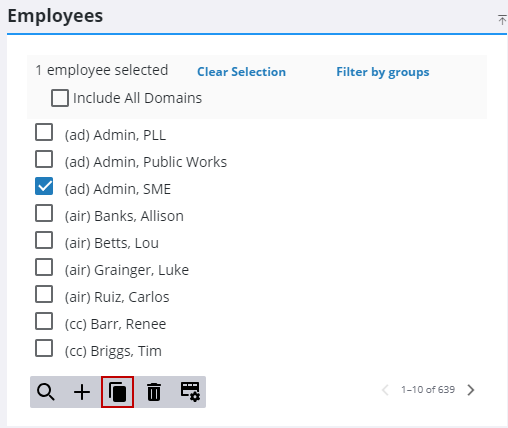
- On the Employees panel, select the emplolyee you want to clone and click Clone selected items.
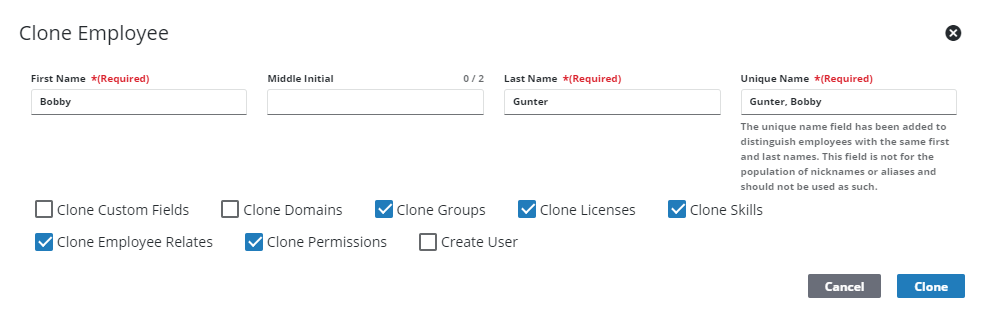
- Enter the First Name and Last Name for the new deposit and make any changes as desired.
- Select what you want cloned from the employee using the check boxes.
- Click Clone.
If this employee is going to log in using Trimble ID, see Create a Username and Manage Trimble ID Status for more information on setting them up to use Trimble Identity.

