Add Time Accounting
|
|
 PREREQUISITES:
 NOTE: Multiple records can be added or edited at the same time. See Perform a Bulk Export or Bulk Import for more information.
- From the home page, click Permitting and click Time Accounting.
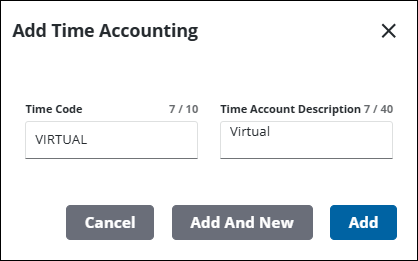
- Click Add Record on the Time Accounting panel.

- Enter a name in the Time Code field.
- Enter a brief definition in the Time Account Description field.
- Click Add.
NOTE: The Review Config panel provides visibility of where a selected data item (such as a case type, user, status code, or other Trimble Unity Permit item) is being used. See Review Permit Configurations for more information.

