Clear the Offline Map Cache
Clearing the offline map area cache can resolve map display or performance issues.
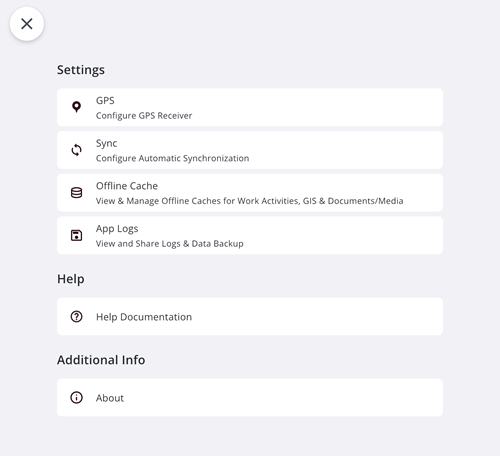
- Tap Settings.
- Tap Logout.
- Tap Settings.
- Tap Offline Cache.
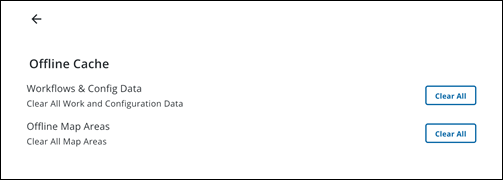
- Next to Offline Map Areas, tap Clear All to clear all map areas.
A confirmation message appears to inform you that this will erase all the offline map areas from your device.
- Tap Clear to confirm.
The offline map cache is cleared.
- Tap the Back icon to return to the Settings page.
- Tap the X icon to return to the log in page.
- Log in to the app again. See Log In for more information.