Search for Assets
You can search for assets using summary card display field information.
 NOTE: The selected GIS query determines which assets you can search. See Apply a Saved Filter to Assets for more information.
- On the top toolbar, tap the Search icon.

- Enter in the summary card display field information.
- Asset UID: The unique identifier for the asset. For example: 8" UNK #81.
- Asset Classification: The type or category of the asset. For example: wMain (Water Main), wHydrant (Water Hydrant).
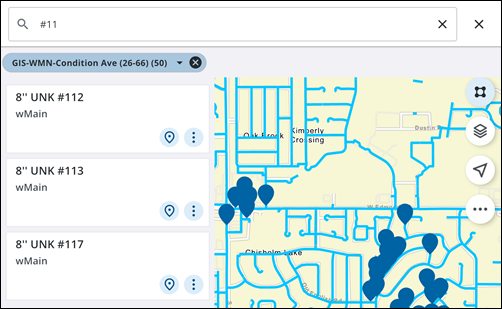
- Select the desired asset that appears in the list.

