Open Work Activities from an Event Layer
Event Layers can be selected on the map and opened from the Work Activities panel on the Asset Details page.
- Open the map.
- Use the Legend tool to set event layers as selectable. See Legend for more information.
- Use one of the selection tools found on the map toolbar to select the assets on the map. See Selection for more information.
- Open the Asset Details page.
The Work Activities panel automatically populates with the event layer work activities selected on the map.
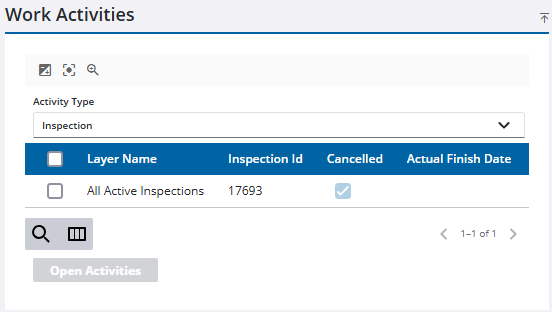
 NOTE: When a selection from the map is removed or a new selection on the map is made, the Work Activities panel will automatically populate according to any changes.
 TIP: You can filter the list of records displayed. See Filter Records for more information.
- Select the activity or activities you want to open and click Open Activities.

