Map Layers
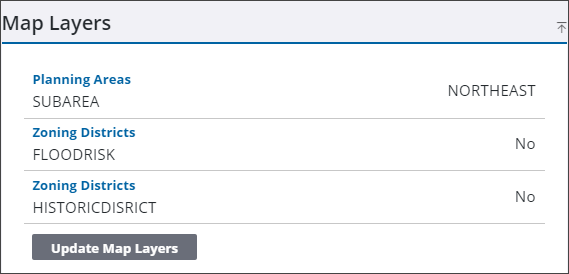
Additional GIS fields can be shown on the case if the administrator has configured it in Admin. Map layer fields can be updated if anything changes on the case.
|
|
 PREREQUISITES:
- Open a case and navigate to the Map Layers panel.
- Click Update Map Layers to refresh the values.
 NOTE: Changes are saved automatically.

