Add a Child Asset
Child relationships can be added to a change out.
|
|
 PREREQUISITES:
- Open Equipment Change Out. See Open Equipment Change Out for more information.
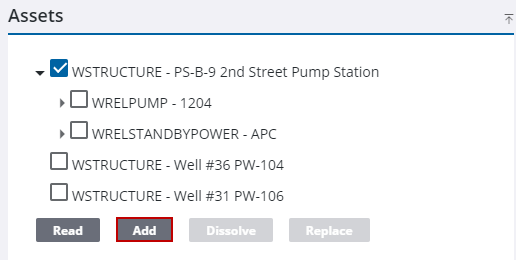
- Select the asset.
- Click Add.
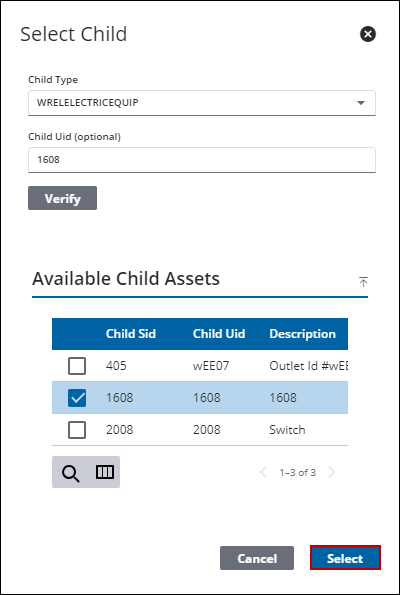
- Select the Child Type.
- If you're adding a new entity, enter a Child Uid for the new entity if desired and click Verify.
- If you're adding an existing entity, select an asset from the Available Child Assets section.
- Click Select.
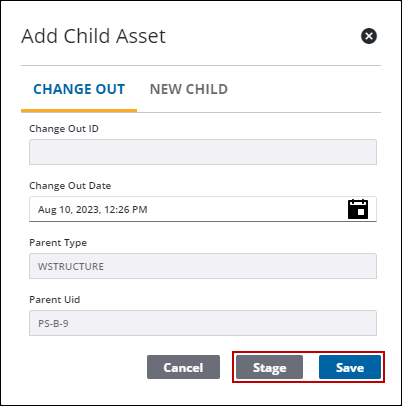
- Enter the asset information on the Add Child Asset panel.
- Click Stage to add the action to the Staged Operations panel to save at a later time.
- Click Save to commit the action now.