Configure Mobile Preferences
- From the home page, click Admin and click Mobile Manager.
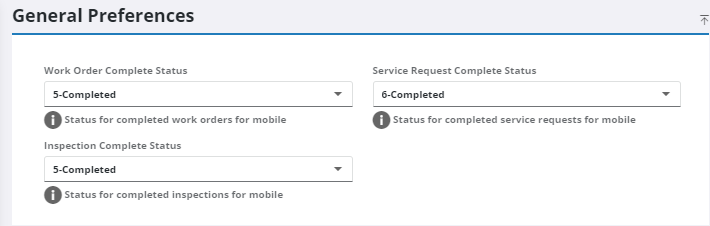
- In the Work Order Complete Status field, select a status to set work orders to when they are completed in the mobile apps.
- In the Service Request Complete Status field, select a status to set service requests to when they are completed in the mobile apps.
- In the Inspection Complete Status field, select a status to set inspections to when they are completed in the mobile apps.
 NOTE: Not all Status Values defined in Preferences for service requests, work orders, and inspections will appear in the complete status drop-down lists on this tab. Some statuses, such as Closed or Canceled, cannot be selected because that functionality is not available in the mobile apps.
- Select the Mobile Profile for all mobile users in the domain. This profile stores customizations for Respond and applies them to the mobile apps. The Respond profile must be shared with the domain before it appears in the Mobile Profile drop-down list. See Define a Profile for more information.
NOTE: Profiles can also be set for individual users. See Add or Edit an Employee for more information.