Switch Web Maps
Trimble Unity Field allows you to access and switch between web maps with focused GIS data that supports specific field workflows. This allows you to use the web map that most efficiently presents the data you need to get your job done. Additionally, offline areas for each unique web map guarantee data access even without internet coverage. See Offline Map Areas for more information.
|
|
 PREREQUISITES:
- On the map, tap the More Actions icon.
The More Actions menu appears.
- Tap Web Maps.
The Web Maps panel appears with the current web map highlighted.
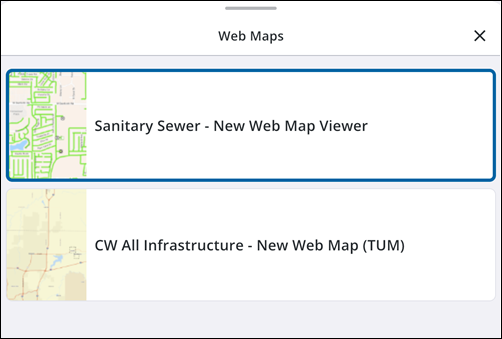
- Select a web map to use.
The web map updates.
|
If the error persists after authenticating, contact your GIS administrator to request access to the required web map. |
 IMPORTANT: If a web map fails to load after switching, a message will appear explaining that the map cannot be displayed because you do not have the necessary permissions.
