Add an Instrument
An instrument is a financial tool used to provide a guarantee, such as a bond, cash, or a letter of credit. This may be required for certain cases. Portions of the guarantee may be released as stages of work on the project are completed. See Instrument Release for more information.
Depending on how the administrator has configured the template, certain instruments might already be on the case and listed in the panel. You can also add instruments if needed.
- Navigate to the Instrument panel.
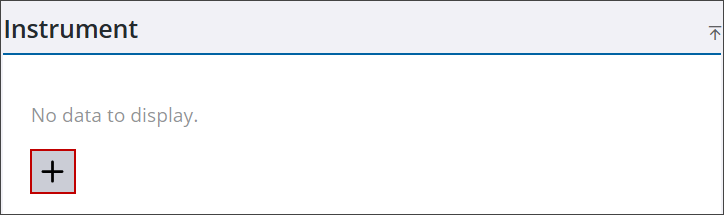
- Click Add record to open the Add Instrument panel.
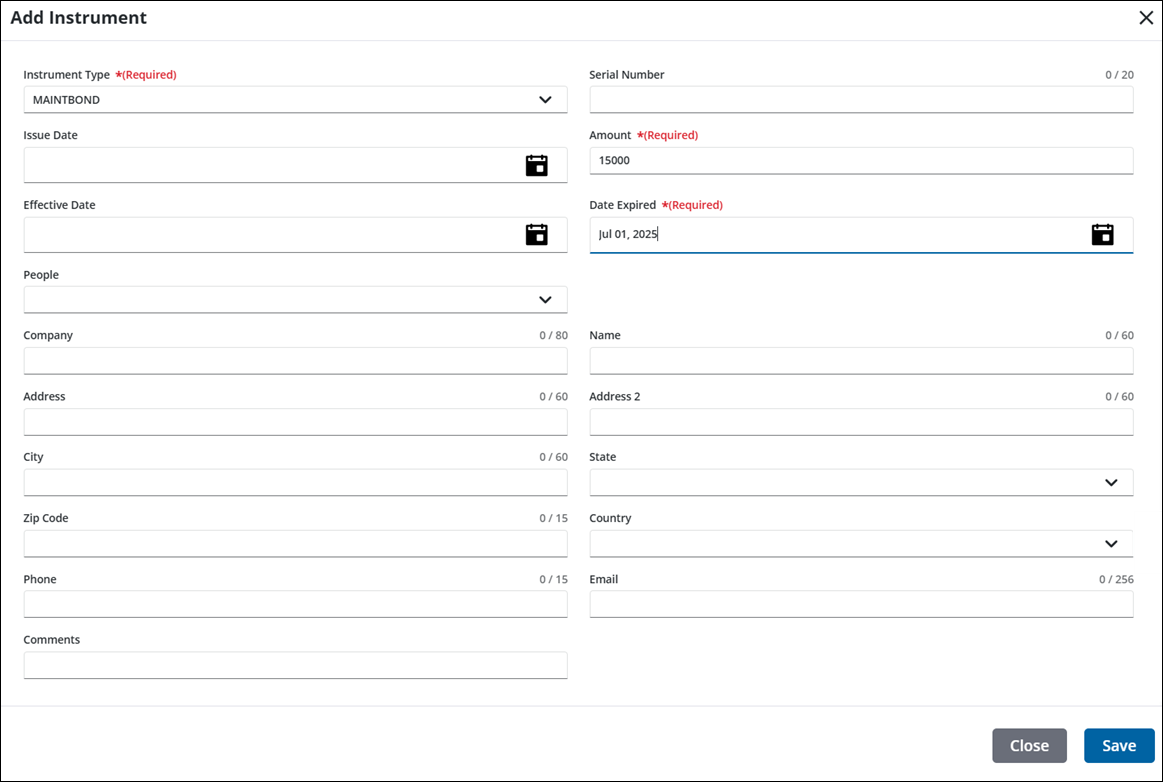
- In the Instrument Type drop-down list, select the check box next to the instrument type you wish to add.
- Enter the Serial Number of the selected instrument.
- In the Issue Date field, enter the date, double-click to insert today's date, or select a date from the calendar.
- Enter the dollar amount or value in the Amount field.
- In the Effective Date field, enter the date, double-click to insert today's date, or select a date from the calendar.
- In the Date Expired field, enter the date, double-click to insert today's date, or select a date from the calendar.
- Select an individual from the People drop-down list to quickly populate contact information. People must be added in the People panel to populate the drop-down list.
- Enter the name of the agency that issued the instrument in the Company field.
- Enter the company’s Address and other contact information.
 NOTE: City, state, and country values may automatically populate when a zip code is entered if an administrator has configured the zip code in Admin.
See Add a Country Code, State, or Zip Code in the Admin Guide for Trimble Unity Maintain and Trimble Unity Permit for more information.
NOTE: City, state, and country values may automatically populate when a zip code is entered if an administrator has configured the zip code in Admin.
See Add a Country Code, State, or Zip Code in the Admin Guide for Trimble Unity Maintain and Trimble Unity Permit for more information.
- Enter any Comments.
- Click Save to add the instrument to the case.
From here you can remove, view, and search instruments. See Instrument Panel Fields for an explanation of the Instrument panel fields.
NOTE: Custom forms can be configured by the administrator and applied to specific areas in the UI, such as based on a specific template, fees, comments, and more. See Custom Form in the Admin Guide for Trimble Unity Maintain and Trimble Unity Permit for more information. When a case is cloned, custom form values are copied to the child case. If the administrator added encrypted custom forms, you will see dots when typing in the field. A view icon allows you to view the encrypted text in the field.

