Add People
From the People panel on the case summary page, you can add one or more people from the database using Link people or create a new record and save it to the database using Add record.
If the administrator has configured it, when an asset is added as an address, any people associated to that asset are automatically added to the People panel. See Configure GIS Data Fields in the Admin Guide for Trimble Unity Maintain and Trimble Unity Permit for more information.
One person may have no roles or several different roles in a single case. For example, the builder of a residential property can also be the applicant, owner, and occupant. For complete representation, ensure all relevant roles are assigned to each individual within the case. If more than one role code is added, only the first role code selected is displayed in the People panel.
 NOTE: Custom forms can be configured by the administrator and applied to specific areas in the UI, such as based on a specific template, fees, comments, and more. See Custom Form in the Admin Guide for Trimble Unity Maintain and Trimble Unity Permit for more information. When a case is cloned, custom form values are copied to the child case. If the administrator added encrypted custom forms, you will see dots when typing in the field. A view icon allows you to view the encrypted text in the field.
 Link People
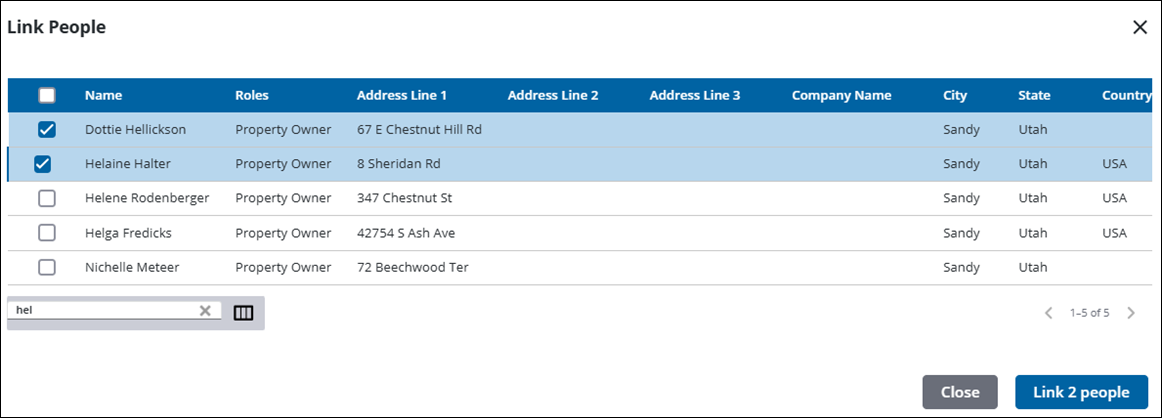
You can add one or more people from the database to the case at one time. If a people record is associated with more than one role, all the roles are displayed in the Link People panel and separated by commas.
- Open a case and navigate to the People panel.
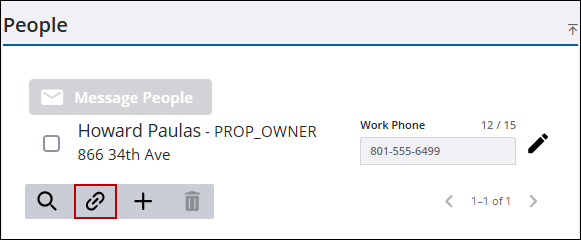
- Click Link People to open the Link People panel.
- Select the people you want to add to the case from the list.
 TIP: You can filter the list of records displayed. See Filter Records for more information.
- Click Link People to add the selected people.
The people you selected are added to the People panel.
Add Record
You can add a new person or business to the case as well as add them to the database for future use.
- Open a case and navigate to the People panel.
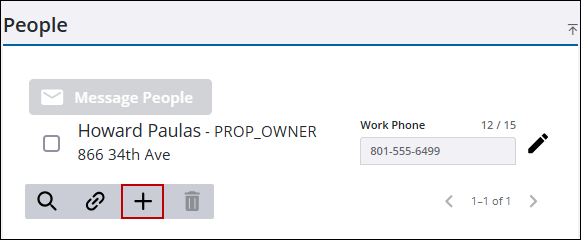
- Click Add record to open the Add Person panel.
- Enter the Name and Role Code for the person or business you want added to the case.
 BEST PRACTICE: We recommend that you assign a role to each person.
- Select the Add To People check box to add that person to the database for future use.
- Enter address, contact information, and comments in the appropriate fields.
NOTE: City, state, and country values may automatically populate when a zip code is entered if an administrator has configured the zip code in Admin.
See Add a Country Code, State, or Zip Code in the Admin Guide for Trimble Unity Maintain and Trimble Unity Permit for more information.
- Click Save.
The person is added to the People panel. They are also added to the database if the Add to People check box is selected. Storing the person's information in the database improves efficiency by eliminating the need for re-entry in future cases.
- Click Close to return to the case.
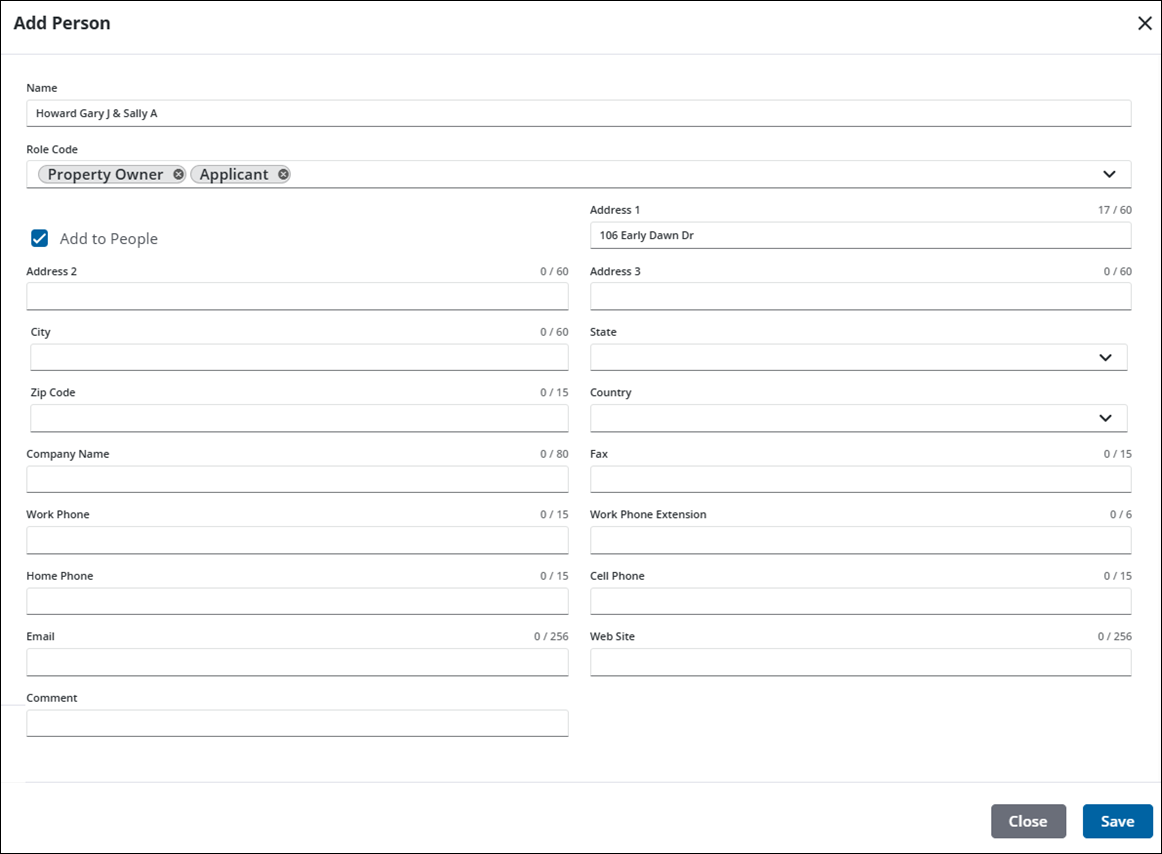
See People Panel Fields for an explanation of the People panel fields.

