Edit a Task
Tasks can be edited as the work progresses.
- Open a work order.
- Click Tasks from the activity toolbar.
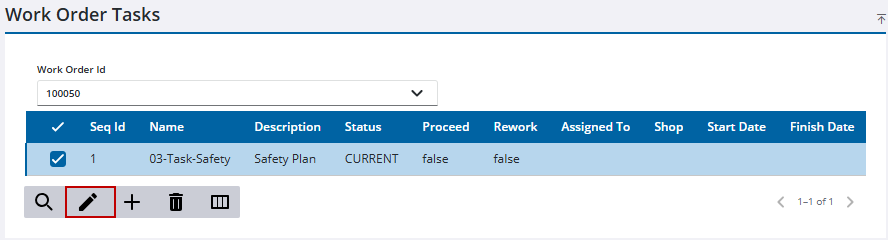
The Work Order Tasks page opens.
 TIP: You can filter the list of records displayed. See Filter Records for more information.
- Select the task to edit.
- Click Edit Tasks(s).
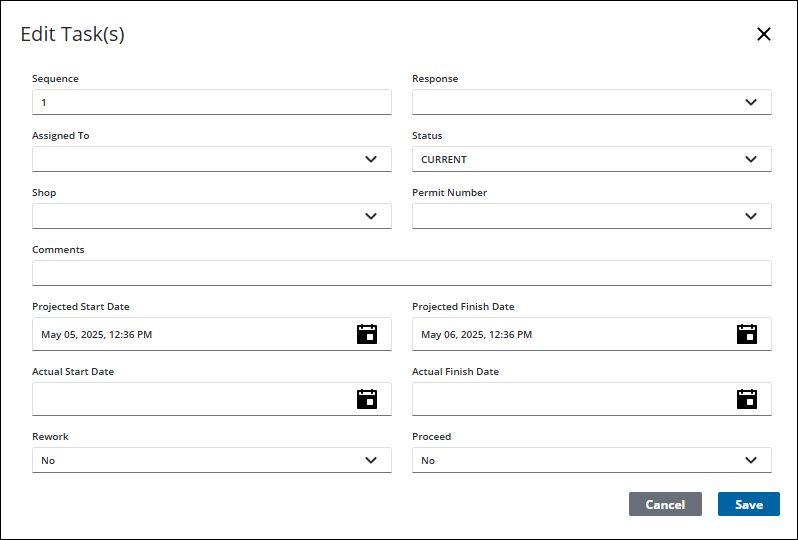
The Edit Task(s) panel opens.
 NOTE: Fields on this section may vary depending on the task chosen. See Work Order Fields for an explanation of fields.
TIP: You can filter the list of records displayed. See Filter Records for more information.
- Select any assets that should be assigned to the task.
- Click Next.
- Enter any information related to the task.
- Click Save.

