Associate Workflows to a Work Activity Template
- From the home page, click Configure and click Work Activity Templates.
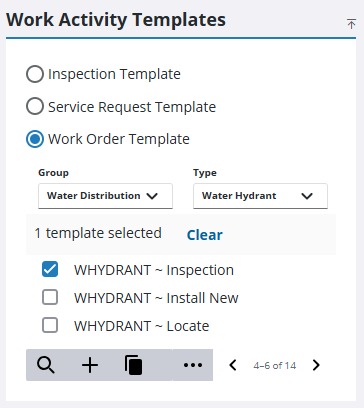
- Select which type of work activity template you need from the Work Activity Templates panel.
The Work Activity Templates panel lists all of the templates. Any templates that are inactive appear grayed out in the list. You can filter the list by clicking Filter records and entering the first few letters of the template.
- If you selected Work Order Template, select the Group and Type.
- Select the template from the list.
- On the General tab, click Link a workflow.
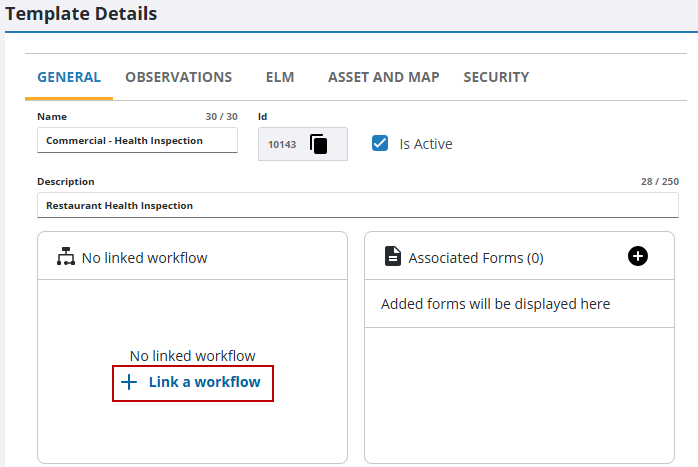
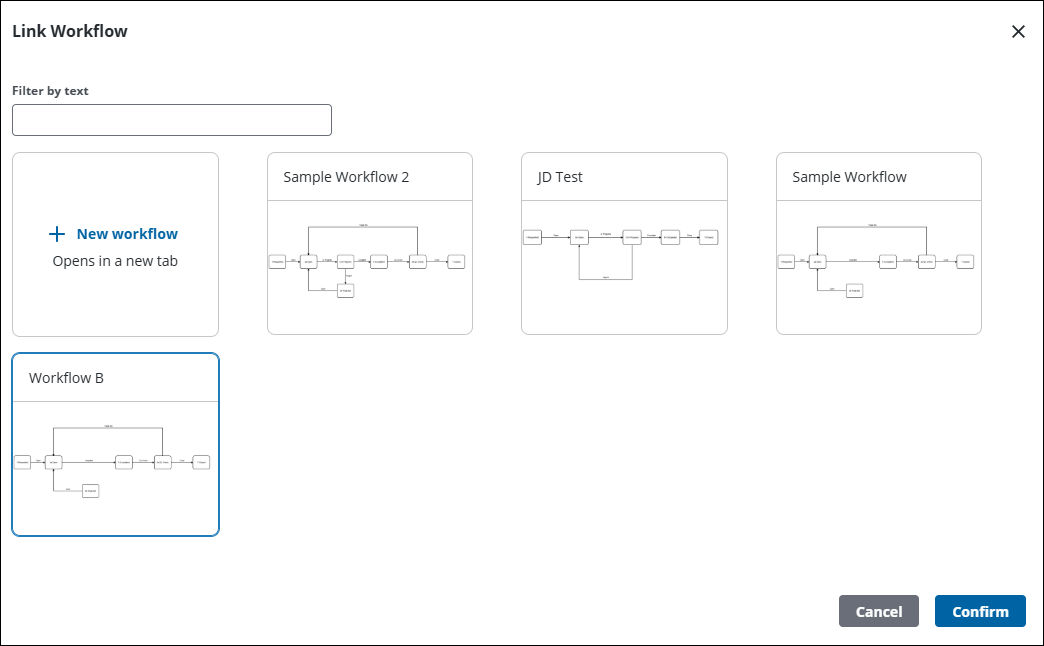
 Use an Existing Workflow
- Select an existing workflow chart.
- Click Confirm.
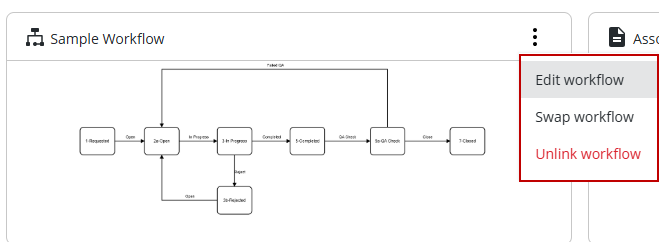
The workflow is now associated to the template.
- Click Edit workflow to open the workflow and edit it. See Edit a Workflow for more information. A warning displays to let the user know which templates are affected by the edits.
- Click Swap workflow to change the workflow. A warning displays if an existing work activities based on the template may be affected.
- Click Unlink workflow to remove the workflow from the template. A warning displays if an existing work activities based on the template may be affected.
Once a workflow is associated to the template, forms can be assigned to actions in the workflow. See Link a Form to a Workflow for more information.
Create a New Workflow
- Click New workflow to create a new workflow.
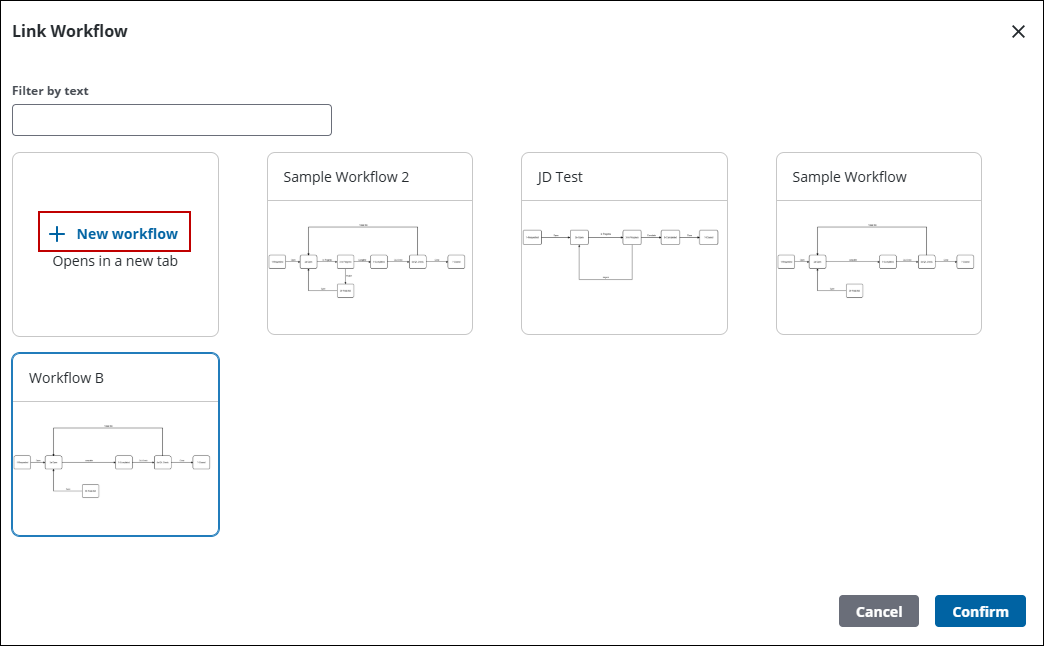
The new workflow page opens.
- Create the workflow. See Create a Workflow for more information.
After you click save, the workflow is associated to the template.
- Click Edit workflow to open the workflow and edit it. See Edit a Workflow for more information. A warning displays to let the user know which templates are affected by the edits.
- Click Swap workflow to change the workflow. A warning displays if an existing work activities based on the template may be affected.
- Click Unlink workflow to remove the workflow from the template. A warning displays if an existing work activities based on the template may be affected.
Once a workflow is associated to the template, forms can be assigned to actions in the workflow. See Link a Form to a Workflow for more information.

