Create a Login
New users must apply for a login before they can use the full functionality of the site. A link to Trimble's privacy notice and a cookie settings message have been added to the login page. When accepted, cookie settings can help enhance site navigation and analyze site usage.
|
|
 PREREQUISITES:
 NOTE: If you already have a login or want to continue as a guest user, see Log In or Log In as a Guest User for more information.
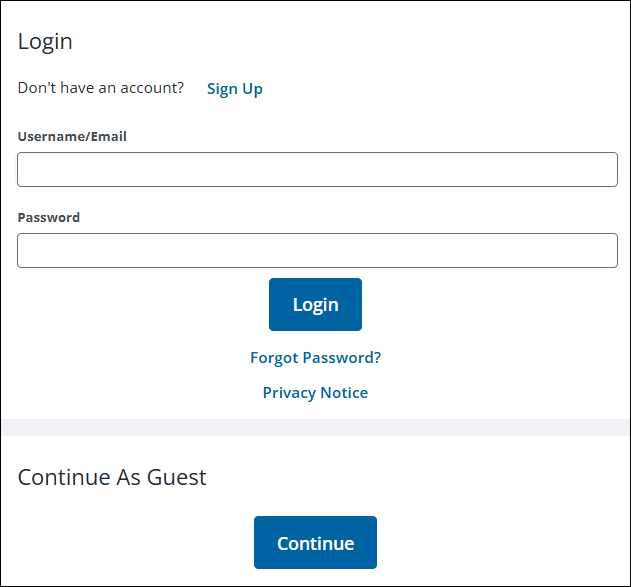
- On the Login page click Sign Up.
- In the Account Signup panel, enter your email address, password, and contact information.
|
NOTE: When a new Public Access user is created, their login ID email automatically populates the email address field. |
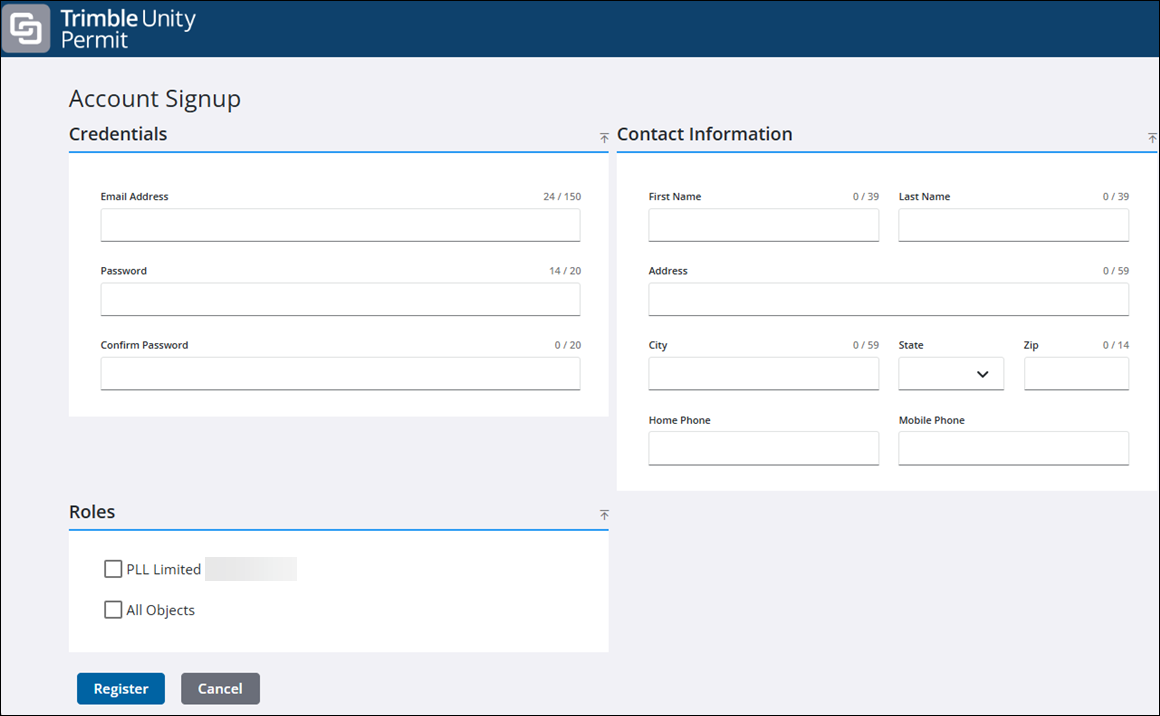
NOTE: The phone number format is determined by the administrator. See Configure Region Settings Preferences in the Admin Guide for Trimble Unity Maintain and Trimble Unity Permit for more information.
- Click the link in the confirmation email to activate your account. You may now log in and begin using Public Access.
NOTE: If the organization has not configured automatic registration, you need to wait for the administrator to approve your login before you can begin using Public Access.