Check Out Equipment
Equipment can be checked out on a work order.
- Open a work order.
- Open the Equipment Checkout page. See Open Equipment Check Out for more information.
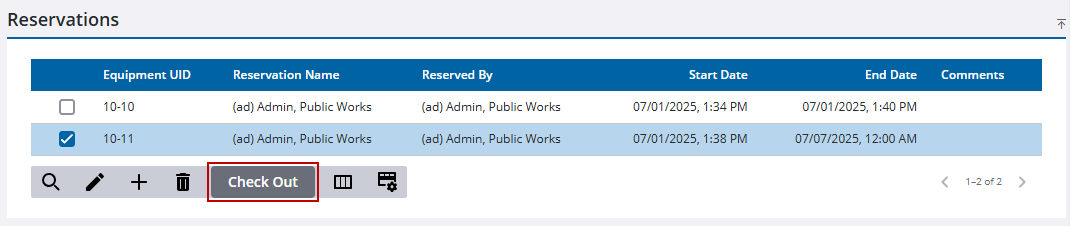
- Select the reserved equipment.
- Click Check Out.
- Add any comments in the Check Out panel. See Equipment Check Out Fields for more information on these fields.
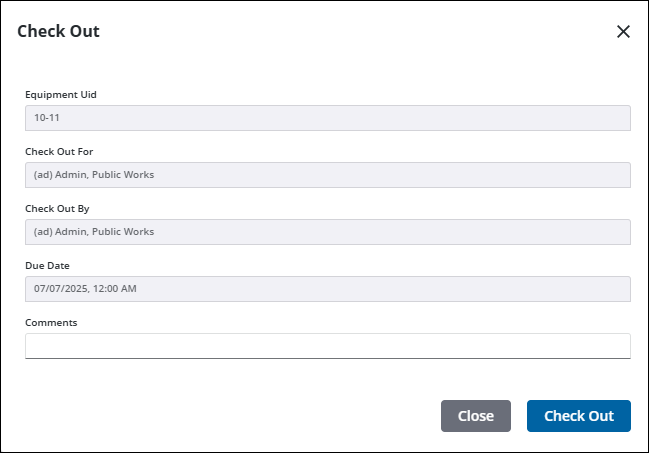
- Click Check Out.
The equipment appears in the Checked Out Equipment panel.
 TIP: The reservation is in effect until its End Date. If you check it back in before the End Date, the reservation should be removed in order for the equipment to be checked out by another employee. See Remove Reservation for more information.

