Apply Escrow Payments
Use Payment Manager to make a payment toward fees for multiple cases at one time using funds from a contractor's escrow account.
|
|
 PREREQUISITES:
- Open Payment Manager. See Add Menu Items for more information on customizing the menu.
- Click Apply Escrow Payments.
 NOTE: Click Clear at any time to remove all search criteria.
 Search by Query
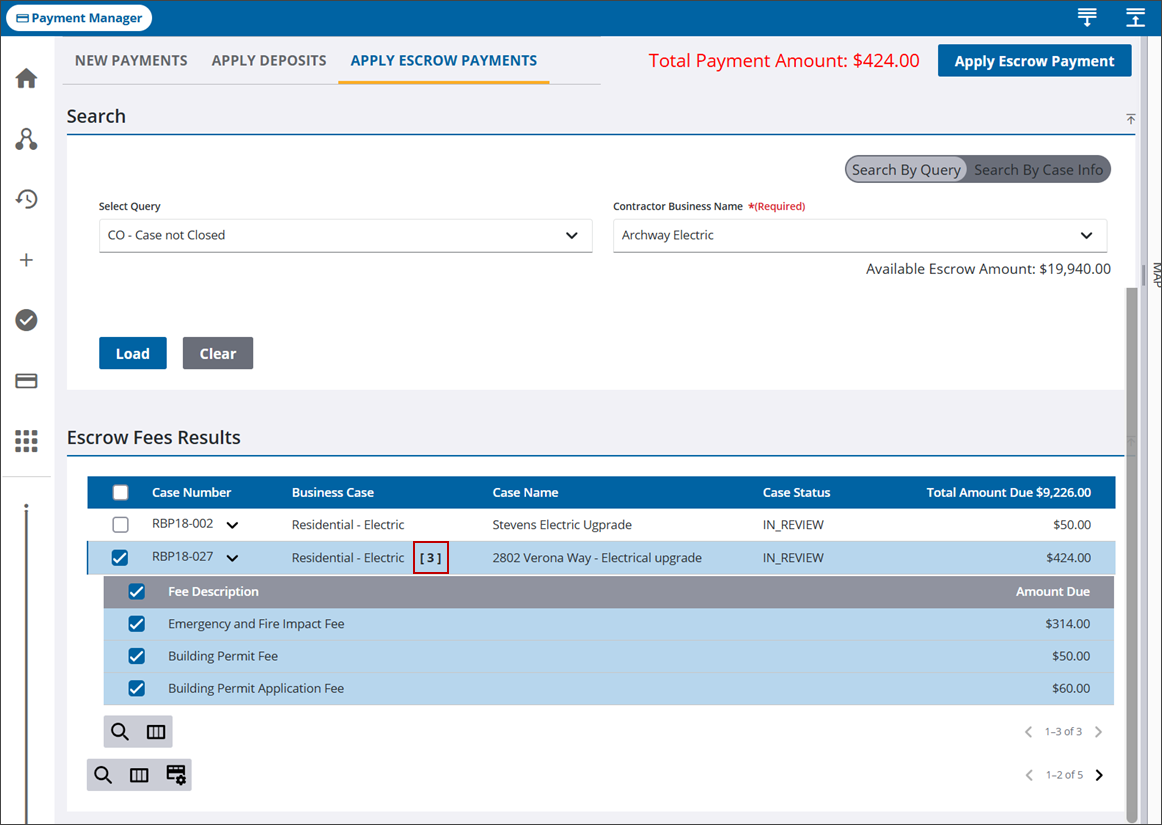
You can search for cases using predefined queries and the contractor name.
- Select Search by Query.
- Select a query using the Select Query drop-down list. See Add a Query for more information on how to create a query if needed.
- Select a contractor from the Contractor Business Name drop-down list.
- Click Load.
The Escrow Fees Results panel lists cases that match the search criteria with unpaid fees. The selected contractor's Available Escrow Amount is listed under the Contractor Business Name field.
 TIP: You can filter the list of records displayed. See Filter Records for more information.
- Select the check box for one or more cases to pay the total amount of escrow fees. You can also click the arrow to expand each case and select individual escrow fees to pay.
- A number next to the case description indicates the number of unpaid escrow fees selected for the case.
The Total Payment Amount, in the upper-right corner, updates as escrow fees are selected.
- Click Apply Escrow Payment.
- Click Apply on the confirmation panel.
The page refreshes and shows the remaining amounts owed under Total Amount Due, if any. The Fees and Payment panels on each case reflects the payment made.
Search By Case Info
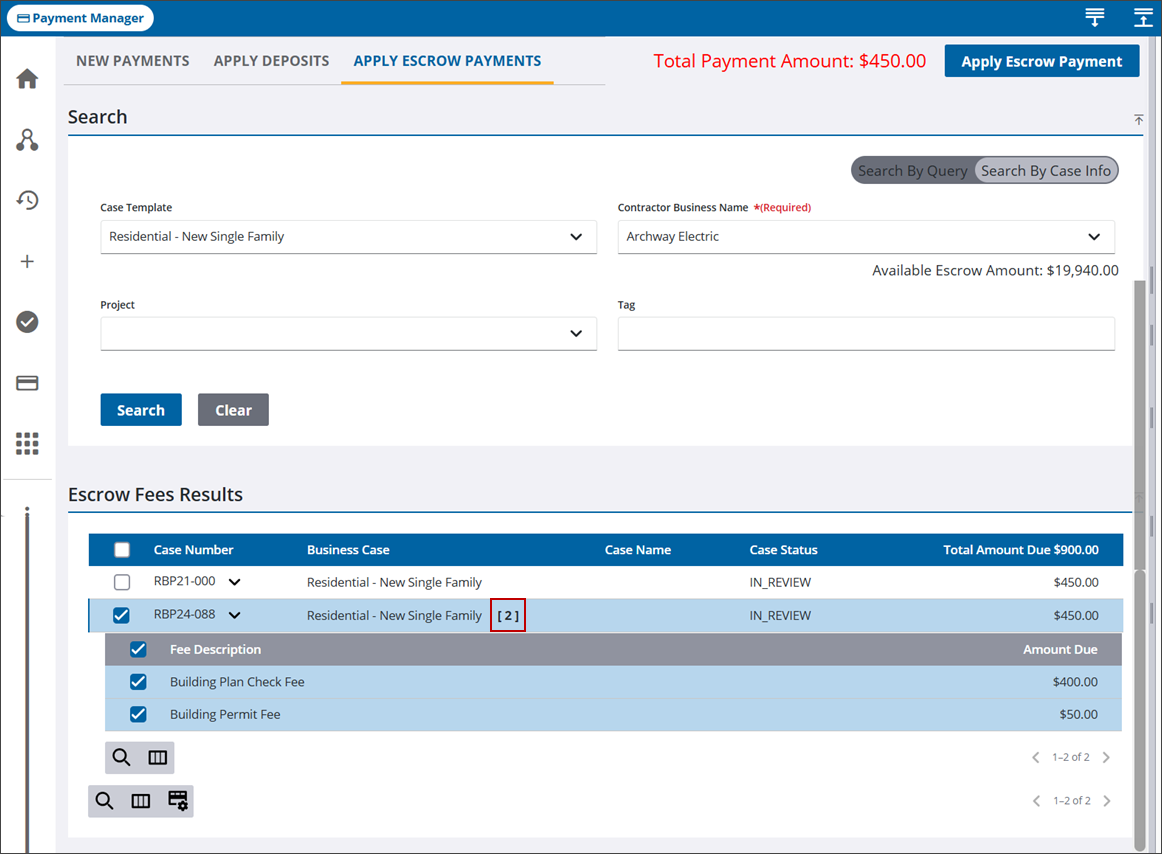
You can search cases by certain case information, such as the case template or a project associated to a case, in addition to the contractor name.
- Select Search By Case Info.
- Select search criteria from the various drop-down lists. For example, if you want to search for a specific case template, select it from the Case Template drop-down list.
- Select a contractor from the Contractor Business Name drop-down list.
- Once the search criteria is selected, click Search.
The Escrow Fees Results panel lists cases that match the search criteria with unpaid fees. The selected contractor's Available Escrow Amount is listed under the Contractor Business Name field.
TIP: You can filter the list of records displayed. See Filter Records for more information.
- Select the check box for one or more cases to pay the total amount of escrow fees. You can also click the arrow to expand each case and select individual escrow fees to pay.
- A number next to the case description indicates the number of unpaid escrow fees selected for the case.
The Total Payment Amount, in the upper-right corner, updates as escrow fees are selected.
- Click Apply Escrow Payment.
- Click Apply on the confirmation panel.
The page refreshes and shows the remaining amounts owed under Total Amount Due, if any. The Fees and Payment panels on each case reflects the payment made.

