Create a Work Activity
You can create a work activity from the main panel of the work activity or from the Related Activities page.
|
|
 PREREQUISITES:
|
|
 Create a Related Activity
Create a related work order, inspection, service request, or permit to an existing work activity.
- Open the Related Activity page. See Open the Related Activities Page for more information.
- To create a related work activity, click Create linked activity on the Related Inspections, Related Service Requests, Related Work Orders, or Related Permits panels. Additionally, a related work activity can be started from the Work Order panel on a work order, the Inspection Details panel on an inspection, Service Request panel on a service request, or Main panel on a case by clicking Create linked activity.

 NOTE: A child work order can contain one or more selected assets from the parent work order.
- Select Related from the Link Type drop-down list.
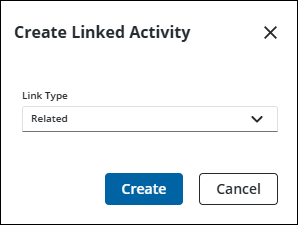
- Complete the creation of the work activity.
Create a Requires Activity
A required activity must have an associated workflow to the template being used. The work activity cannot be completed until the Requires work activity is completed.
- Open the Related Activity page. See Open the Related Activities Page for more information.
- To create a related work activity, click Create linked activity on the Related Inspections, Related Service Requests, Related Work Orders, or Related Permits panels. Additionally, a related work activity can be started from the Work Order panel on a work order, the Inspection Details panel on an inspection, Service Request panel on a service request, or Main panel on a case by clicking Create linked activity.
- Select Requires from the Link Type drop-down list.
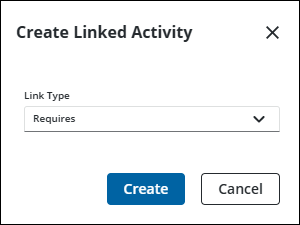
- Complete the creation of the work activity.
Create a Required by Activity
A required by activity must have an associated workflow to the template being used. The work activity cannot be begun until the Required By work activity is completed.
- Open the Related Activity page. See Open the Related Activities Page for more information.
- To create a related work activity, click Create linked activity on the Related Inspections, Related Service Requests, Related Work Orders, or Related Permits panels. Additionally, a related work activity can be started from the Work Order panel on a work order, the Inspection Details panel on an inspection, Service Request panel on a service request, or Main panel on a case by clicking Create linked activity.
- Select Required by from the Link Type drop-down list.
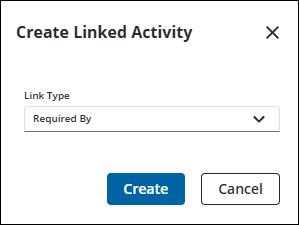
- Complete the creation of the work activity.
See the following for more information:

